Shree Dev 0709 & 0710 to Unicode – Complete Marathi Font Conversion Guide (2026)
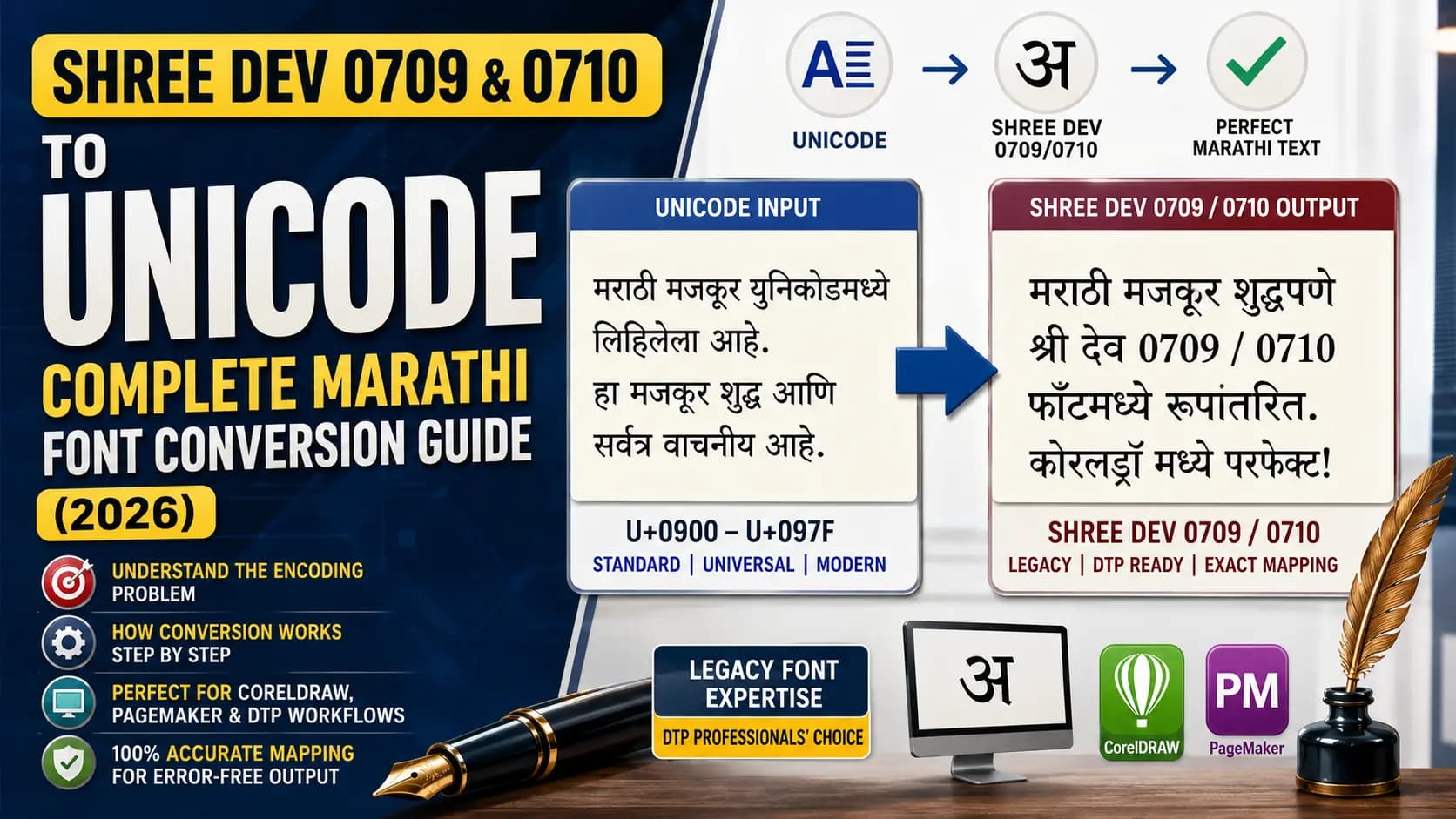
Here is a scenario every Marathi DTP operator knows well. You receive an article typed in Unicode — standard modern Marathi from a journalist's phone or a writer's Google Doc. Your CorelDRAW layout uses Shree Dev 0709 or Shree Dev 0710. You paste the text, apply the font, and the layout fills with unreadable characters.
Nothing is broken. Nothing is corrupted. What you are looking at is an encoding mismatch — and it is completely predictable once you understand what these fonts actually are and how they store text internally.
This guide covers both fonts together because they belong to the same Shree Dev family, share the same encoding logic, and create the same conversion need. Understanding one means understanding both.
Table of Contents
- What Are Shree Dev 0709 and Shree Dev 0710?
- Why Shree Dev 0709 and 0710 Are Still in Active Use
- The Encoding Problem — Why Unicode Text Does Not Work Directly
- Who Uses This Conversion Every Day?
- How to Convert Shree Dev 0709 or 0710 to Unicode — Step by Step
- Shree Dev 0709 vs 0710 — What Is the Practical Difference?
- Pros and Cons of This Conversion
- The Smarter Approach — Unicode Master, Legacy at Print Stage
- Conclusion
- Frequently Asked Questions
What Are Shree Dev 0709 and Shree Dev 0710?
Shree Dev 0709 and Shree Dev 0710 are legacy non-Unicode Devanagari fonts developed by Modular Infotech Pvt. Ltd., a Pune-based Indian language computing company established in 1983. Modular Infotech is the creator of the entire Shree Lipi font ecosystem — the most widely deployed Indian language DTP system in India, with over 200,000 authorized users across the country and abroad, and a library of more than 2,700 fonts covering 10 Indian languages as well as Arabic, Sindhi, Russian, and Sinhala. Learn more about the company and system timeline in our History of Shree Lipi.
Both fonts sit within the Shree Dev family — the Devanagari branch of the Shree Lipi system. The Shree Dev family includes multiple numbered variants that have been deployed across different DTP workflows, presses, and publishing environments since the early 1990s:
- Shree Dev 0706 — An earlier variant, still found in some older institutional templates.
- Shree Dev 0708 — Widely used for Marathi newspaper body text. One of the most common Shree Dev variants in active use.
- Shree Dev 0709 — A close variant of 0708 with a distinct internal character mapping. Used in specific publishing and press workflows that standardized on this variant.
- Shree Dev 0710 — Another variant in the same family, deployed in layouts where 0709 and 0708 were not the established standard.
- Shree Dev 0714 — The most widely used Shree Dev variant overall. The standard for Marathi DTP across Maharashtra, used by major Marathi newspapers and publishers.
The important thing to understand: all of these variants are part of the same Shree Lipi Devanagari ecosystem and were created by the same company. But each one has its own internal ASCII character mapping table. They are not interchangeable. Converting for 0714 and applying 0709 in CorelDRAW produces wrong output. Converting for 0709 and applying 0710 produces wrong output. Variant matching is the single most critical step in any Shree Dev conversion workflow.
Why Shree Dev 0709 and 0710 Are Still in Active Use
This is the question most people outside the DTP industry ask. If Shree Dev 0714 is the dominant standard, why do 0709 and 0710 still matter?
The answer is infrastructure. In the Marathi print publishing world — newspapers like Maharashtra Times, Sakal, Lokmat, Loksatta, and Pudhari, as well as hundreds of smaller regional publications across Maharashtra — DTP workflows were built and standardized over decades. A press that built its PageMaker or CorelDRAW templates around Shree Dev 0709 in the late 1990s may still be running those same templates today. The operators are trained on them. The kerning, leading, and layout specifications are set for that exact font. Rebuilding templates around a different variant requires time, budget, and retraining that many regional operations cannot justify when the existing workflow functions reliably.
Additionally, Shree Dev 0709 and 0710 have specific typographic characteristics — slightly different glyph proportions or spacing compared to 0714 — that some publishers preferred for their specific design needs. These choices became institutionalized in their workflows. For details on related legacy setups, you can read our Kruti Dev to Shree Lipi Guide.
The result is that both variants remain in active daily use in Marathi DTP environments across Maharashtra — which is exactly why Unicode to Shree Dev 0709 and 0710 conversion continues to be a real, recurring professional need.
The Encoding Problem — Why Unicode Text Does Not Work Directly
Shree Dev 0709 and 0710 are non-Unicode fonts. Like every font in the Shree Lipi family and every legacy Indian font from the pre-Unicode era, they store Devanagari characters at custom ASCII positions — not at the Unicode code points in the Devanagari block (U+0900–U+097F).
In Unicode, "क" is always U+0915. "म" is always U+092E. "ा" (the aa matra) is always U+093E. These positions are universal, permanent, and recognized by every modern device and application. Learn more about how these encoding systems differ in our Unicode vs ASCII Guide.
In Shree Dev 0709, those exact positions hold completely different glyphs. "क" sits at an ASCII byte that Unicode does not associate with Devanagari at all. The aa matra sits somewhere else entirely. Every Unicode code point in your pasted text lands at the wrong glyph in the Shree Dev 0709 character table — producing a screen full of wrong characters.
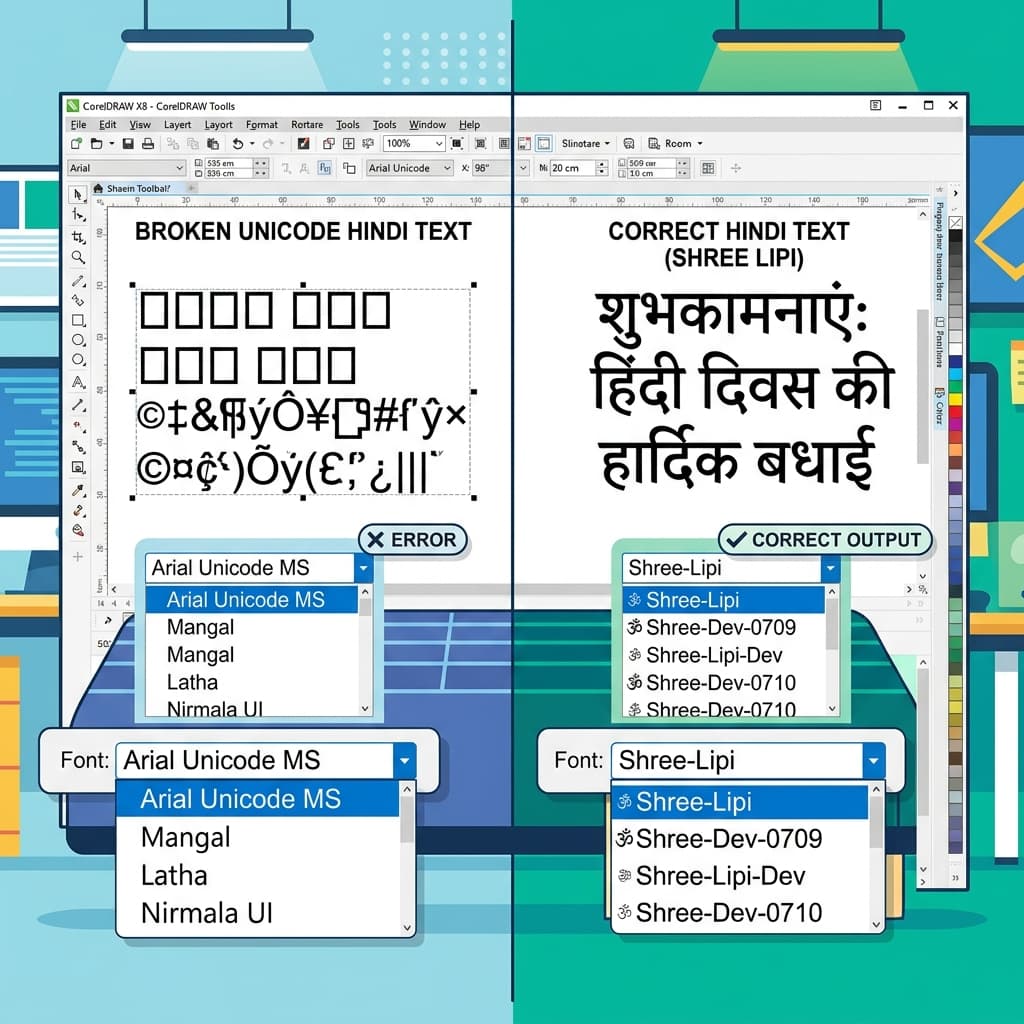
A converter solves this precisely. It reads each Unicode code point in your input, looks up the corresponding ASCII byte in the Shree Dev 0709 (or 0710) character mapping table, and outputs that byte. The output text — which looks like random English letters in any text editor — contains the exact byte values that Shree Dev 0709 expects for each Devanagari character. Paste it into CorelDRAW, apply the font, and every character renders correctly.
Who Uses This Conversion Every Day
Marathi Newspaper DTP Operators
The core daily users. Reporters and sub-editors in Marathi newspaper workflows type content in Unicode on their phones and computers. The page layout team in the composing room works in CorelDRAW or PageMaker templates built around Shree Dev 0709 or 0710. Conversion is the routine bridge between the editorial workflow and the print production workflow — and it happens multiple times per publishing cycle.
Marathi Book Publishers
Book publishers whose typesetting templates were built around Shree Dev 0709 or 0710 receive manuscripts from authors typed in Unicode. The publisher's compositor converts each chapter's text before placing it in the layout. For a publisher producing multiple titles per year, this conversion is a constant background workflow step.
Government and Institutional Document Designers
Several Maharashtra state government departments and educational institutions built their official document templates in Shree Dev 0709 or 0710 during the 1990s and 2000s. Officials and staff now type in Unicode on modern computers, but the print output templates still use the legacy font. Conversion bridges the two.
DTP Freelancers Handling Legacy Client Files
Freelance DTP operators who work across multiple clients regularly encounter files that use Shree Dev 0709 or 0710. A client hands over a Unicode Marathi brochure or annual report with the instruction to typeset it in their existing Shree Dev 0709 template. Conversion is step one. For details on setting up layouts, check out our CorelDRAW Hindi Typing Guide.
How to Convert Shree Dev 0709 or 0710 to Unicode — Step by Step
Step 1 — Confirm the exact variant in your DTP layout
Open your CorelDRAW or PageMaker file. Click on a Marathi text block. Check the font name in the font dropdown or properties panel. Confirm whether it says Shree Dev 0709 or Shree Dev 0710 — and note whether it might be Shree Dev7 0709 (a version 7 variant) rather than the standard Shree Dev 0709. These are related but have slightly different mappings. The exact variant number must match what you select in the converter.
Step 2 — Prepare your Unicode Marathi source text
Copy your Marathi text from its source — a journalist's Google Doc, a WhatsApp message, an email, an MS Word file. All modern Marathi text is Unicode by default. Proofread the Unicode text carefully at this stage. Spelling errors, missing matras, or wrong conjuncts in the Unicode input produce the same errors in the converted output.
Step 3 — Run the conversion with the correct variant selected
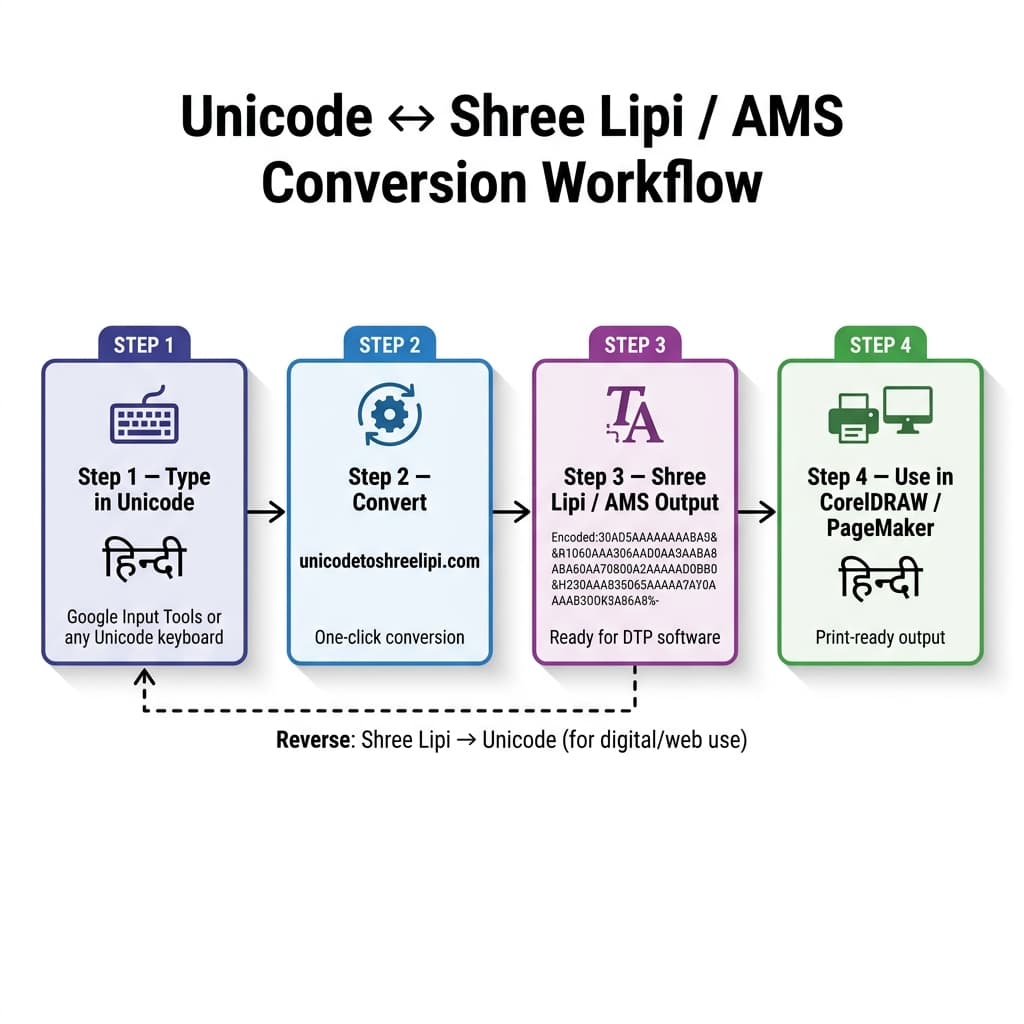
Open a Unicode to Shree Dev converter. Paste your Unicode text into the input field. Select the target font — specifically Shree Dev 0709 or Shree Dev 0710, matching exactly what your layout uses. You can use the free online Unicode to Shree Lipi Converter at unicodetoshreelipi.com to convert your text with no limit. Run the conversion. The output appears as what looks like random English characters and symbols. This is correct and expected — the text is properly encoded for Shree Dev, it just looks like gibberish until the font is applied.
Step 4 — Test a short sample before processing the full document
This step is not optional. Before converting your full article or document, paste two or three test lines into CorelDRAW and apply the Shree Dev 0709 or 0710 font. Check the following characters specifically:
- The eyelash ra (ऱ) — a Marathi-specific character that has complex encoding across legacy font variants. If it appears wrong, you have a variant mismatch.
- The half-anunaasik and chandrabindu (ँ) — Marathi-specific nasal markers that are frequent sources of conversion inconsistency.
- Conjuncts — particularly ज्ञ, क्ष, त्र — which are common in Marathi text and must render as single combined forms, not as two separate characters.
If the test sample renders correctly, proceed with the full conversion.
Step 5 — Paste the full converted output and apply the font
Copy the complete converted text. Paste it into your CorelDRAW or PageMaker layout. Apply Shree Dev 0709 or 0710 immediately after pasting. Your Marathi text renders correctly as Devanagari.
Step 6 — Export as PDF with fonts embedded
For print output, always export from CorelDRAW or PageMaker as a PDF with fonts embedded — not as a native .cdr or .pmd file. File > Export > PDF > enable Embed Fonts. The embedded font ensures the press can print the correct Devanagari characters even without Shree Dev 0709 or 0710 installed on their system. Never send the native DTP file to a press unless you have confirmed they have the exact same font variant installed.
Shree Dev 0709 vs 0710 — What Is the Practical Difference?
Both fonts belong to the Shree Dev family by Modular Infotech and share the same Devanagari script coverage. Their numerical difference — 0709 vs 0710 — indicates a distinct variant with its own internal ASCII character mapping and its own glyph design details.
In daily practice, the difference matters in one specific way: which variant your DTP template uses. There is no universal "better" between 0709 and 0710 — they were deployed in different press environments based on when those environments were set up and which variant was available or preferred at the time.
The key rule: never use a converter that does not let you specify the exact variant. A generic "Shree Dev" converter that does not distinguish between 0709 and 0710 will produce errors because it is applying the wrong character map. Variant precision is non-negotiable.
Pros and Cons of This Conversion
✅ Pros
- Maintains existing workflows. For Marathi presses and publishers with established Shree Dev 0709 or 0710 templates, conversion lets operators work in modern Unicode typing while print output continues through the established legacy infrastructure. No template rebuilding, no operator retraining.
- Handles full Marathi Devanagari. A properly built converter covers the complete Marathi character set — all vowels, consonants, matras, the eyelash ra, chandrabindu, half-anunaasik, Marathi conjuncts, danda, and Devanagari numerals.
- Works for any document length. A paragraph converts in the same single step as a full newspaper article or a chapter of a book.
❌ Cons
- Output is legacy encoding — not portable. Converted Shree Dev text is ASCII-based. It cannot be read on mobile, indexed by Google, emailed as readable text, or used in any modern application without the font installed. You have produced print-ready output at the cost of digital portability.
- Variant mismatch is a serious risk. Selecting 0709 when the layout uses 0710 — or confusing standard Shree Dev with Shree Dev7 — produces systematic wrong output throughout the document. Every affected character is wrong in the same way. This is visible in a test paste but invisible if you skip testing and process directly.
- Marathi-specific characters need manual spot-checking. The eyelash ra, chandrabindu, and half-anunaasik are the three characters most likely to show encoding inconsistency across Shree Dev variants. Always verify these after conversion, especially in text-heavy documents.
- Not a long-term content strategy. Converting for print output is a sensible workflow step. Storing content only in Shree Dev encoding — and not maintaining a Unicode master — is a dead end that makes content unsearchable, non-archivable, and inaccessible to any future digital workflow.
The Smarter Approach — Unicode Master, Legacy at Print Stage
If your team converts to Shree Dev 0709 or 0710 regularly, the workflow below gives you the most flexibility with the least friction:
- Store all Marathi content in Unicode. Type using any modern Unicode Marathi keyboard — phonetic input on Android, iOS, Google Input Tools, or any Unicode Marathi input method. The Unicode text is your master copy: portable, searchable, future-proof.
- Convert to Shree Dev only at the print output stage. When the CorelDRAW or PageMaker layout needs to be finalized for the press, run the conversion at that point. Keep the Unicode master and run a fresh conversion for each print job from it.
For parallel Shree Dev 0714 workflows — which is the most common Shree Dev variant across Marathi DTP — our Unicode to Shree Lipi Converter at unicodetoshreelipi.com handles that specific conversion direction free of charge, with no character limit and no subscription. The same Unicode-first principle applies to any Shree Dev variant conversion.
Key Takeaways
- Shree Dev 0709 and 0710 are non-Unicode ASCII-encoded fonts created by Modular Infotech.
- Pasting Unicode text directly results in unreadable characters because the encoding values mismatch.
- Always use a converter that supports variant matching — generic conversions will cause errors.
- Spot-check Marathi-specific characters (eyelash ra, chandrabindu) using a short test sample first.
- Write and archive in Unicode, then convert to Shree Dev only for final DTP print outputs.
Conclusion
Shree Dev 0709 and 0710 are not outliers or edge cases in the Marathi DTP world. They are actively running in real press workflows across Maharashtra — in the composing rooms of regional newspapers, in the typesetting departments of book publishers, and in the institutional document templates of government bodies that have been using Shree Lipi fonts for decades.
For professionals whose daily work involves bridging Unicode content and these legacy font environments, the conversion workflow is simple: confirm the exact variant, convert at the print stage, verify Marathi-specific characters in a test paste, export as PDF with font embedding.
For your Shree Dev 0714 and Shree Dev 0708 conversion needs — the most widely used Shree Dev variants in Marathi DTP — our Unicode to Shree Lipi Converter at unicodetoshreelipi.com handles these directions free of charge, with no character limit, directly in your browser.
Explore our related guides on the History of the Shree Lipi Font System, Unicode vs ASCII — How Devanagari Fonts Actually Work, and the DV ME Shree 0701 Conversion Guide for the complete picture of professional Marathi DTP in 2026.
Read Next:
Frequently Asked Questions
Ready to convert? Our main tool handles Unicode ↔ Shree Lipi with the same accuracy and speed — instantly in your browser.
Try Unicode ↔ Shree Lipi Converter