Kruti Dev to Shree Lipi Converter – Complete Guide (How It Works, Who Needs It & Why)
You have a document full of Hindi or Marathi text typed in Kruti Dev. Your print layout in CorelDRAW or PageMaker uses Shree Lipi fonts. You paste the text, apply the Shree Lipi font — and the screen fills with broken characters, random symbols, or completely unreadable output.
This is not a software bug. It is an encoding mismatch — and it happens every time someone tries to move text between two different legacy font systems without converting it first.
A Kruti Dev to Shree Lipi converter exists to solve exactly this problem. This guide tells you what it is, why the problem exists in the first place, who uses it, how to use it correctly, and what to watch out for.
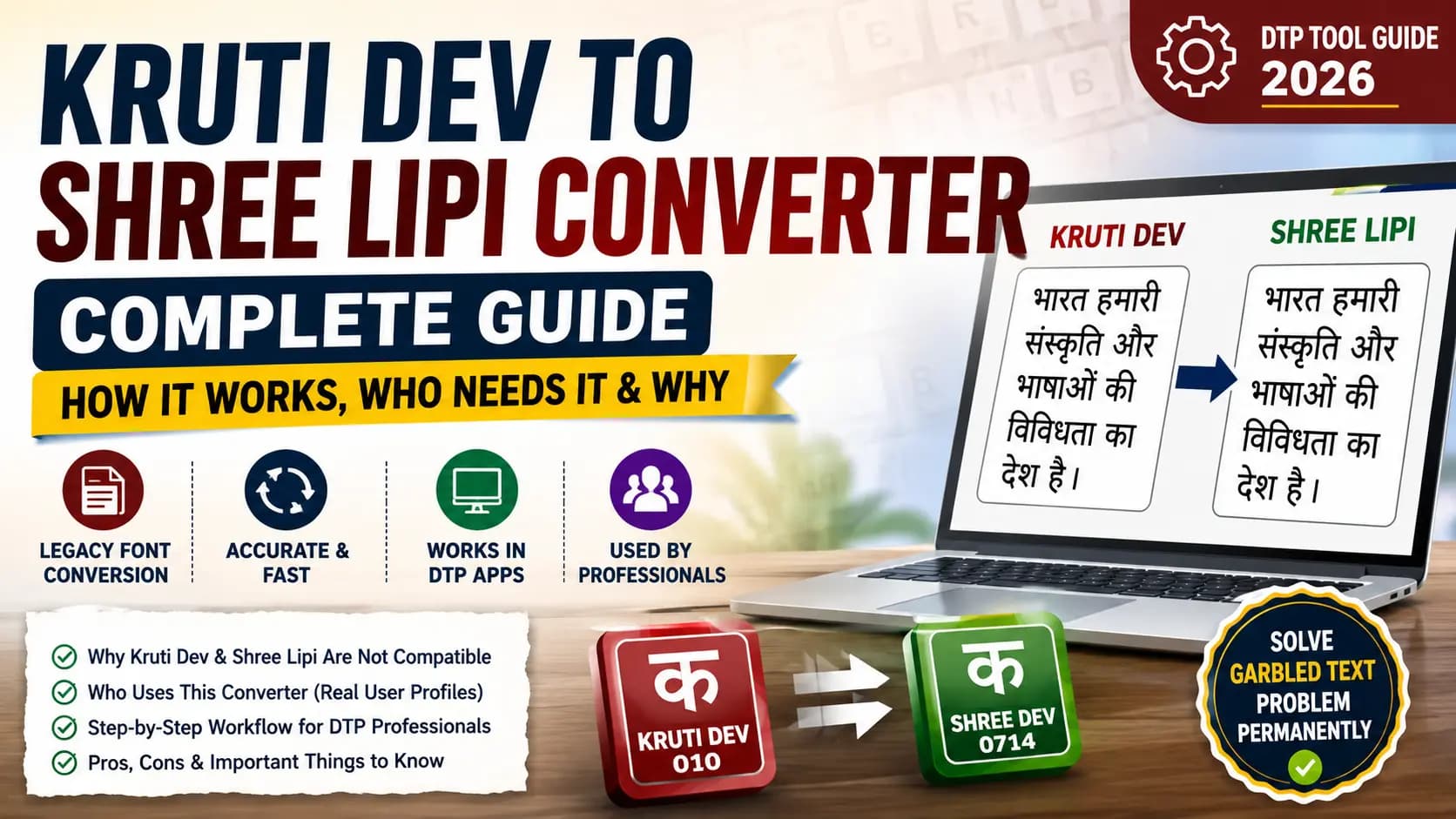
Table of Contents
- What Is a Kruti Dev to Shree Lipi Converter?
- A Brief History — Why Two Incompatible Systems Exist
- Who Uses This Converter — Real User Profiles
- How to Use a Kruti Dev to Shree Lipi Converter — Step by Step
- What This Converter Does Not Do
- Pros and Cons of Kruti Dev to Shree Lipi Conversion
- Why the Unicode Route Is Worth Considering
- Common Problems Real Users Face
- Conclusion
- Frequently Asked Questions
What Is a Kruti Dev to Shree Lipi Converter?
A Kruti Dev to Shree Lipi converter is a tool that translates text encoded in the Kruti Dev ASCII character mapping into the equivalent encoding used by Shree Lipi fonts. Both Kruti Dev and Shree Lipi are non-Unicode legacy fonts. Both belong to the category of fonts that were developed in the late 1980s and early 1990s, before the Unicode standard existed. Instead of using universally recognized character codes, they map Devanagari characters to positions in the standard ASCII character table.
Here is the problem: each font system uses a completely different mapping.
In Kruti Dev 010, the key "d" on your keyboard produces the character "क". The matra "ि" (short I) is stored at the position of "f". The consonant "र" sits at position "j".
In Shree Dev 0714, the same characters sit at completely different ASCII positions. "क" is at a different key. "ि" is somewhere else entirely. If you have Kruti Dev-encoded text and display it through a Shree Lipi font without converting, all characters convert to the wrong glyph. The text output becomes meaningless.
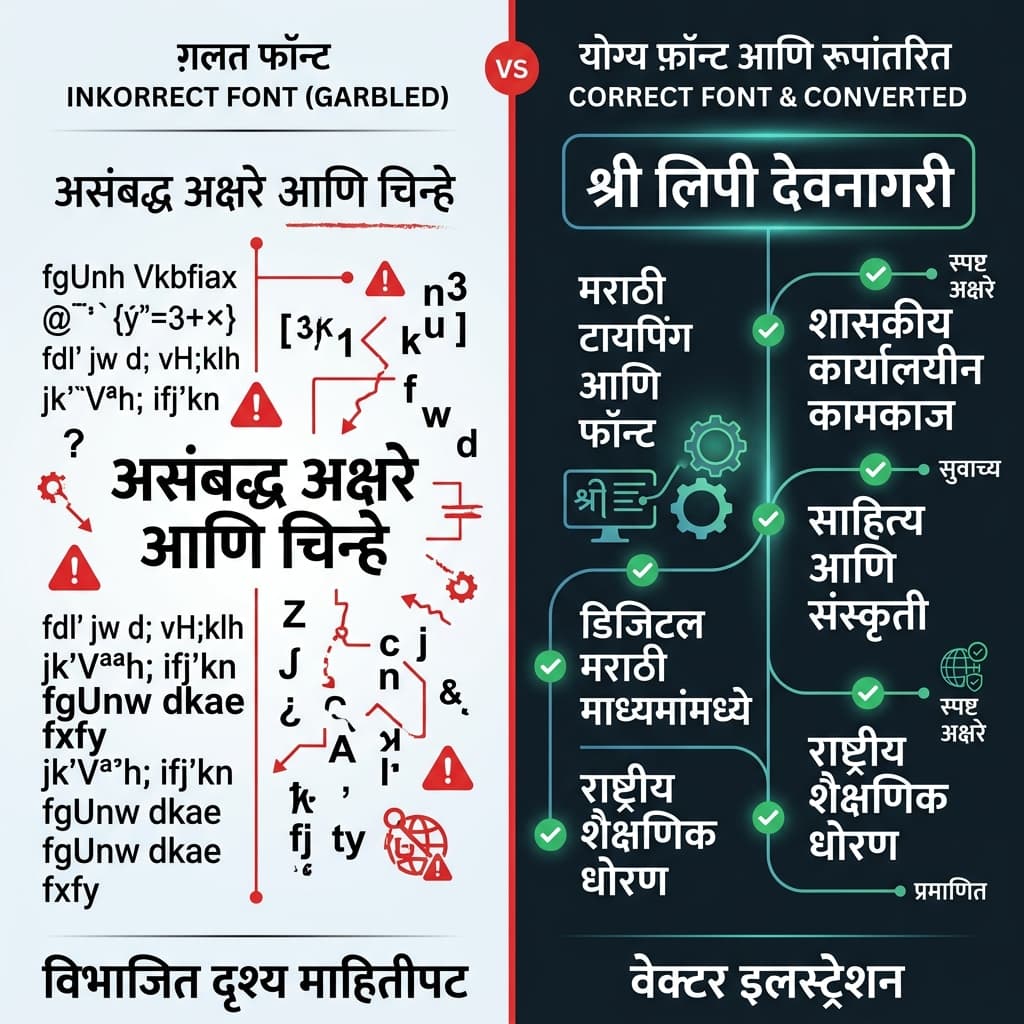
This is what happens when you paste Kruti Dev text and apply a Shree Lipi font without converting first.
A converter reads each ASCII character in the Kruti Dev input, looks up which Devanagari character it represents in the Kruti Dev mapping table, then finds where that same Devanagari character sits in the Shree Lipi mapping table, and outputs the corresponding ASCII character. Character by character, through the entire text. The result is text that renders correctly when displayed through a Shree Lipi font.
A Brief History — Why Two Incompatible Systems Exist
In the early 1990s, India's desktop publishing industry was growing rapidly, but there was no national standard for how Hindi or Marathi fonts should work internally. Different software companies and font developers independently built their own character mapping systems.
Kruti Dev was developed in this environment as a practical Hindi typing solution, quickly becoming the dominant legacy font for Hindi DTP across North India — particularly in government offices, educational institutions, and general-purpose Hindi publishing. Its Remington-derived keyboard layout matched the muscle memory of typists who had trained on mechanical Hindi typewriters.
Shree Lipi was developed in parallel by Modular Infotech in Pune, launched in 1991. It was built with a stronger focus on Marathi publishing and the printing industry in Maharashtra. Its character mapping, keyboard layout, and glyph design choices were made independently of the Kruti Dev ecosystem. Read more about the development in our History of Shree Lipi guide.
Because both systems were developed without coordination, their internal character tables are different — sometimes significantly, sometimes subtly. This incompatibility is not a flaw in either system. It is simply the result of two organizations solving the same problem independently at the same time, with no standardization framework to align them.
This divergence is the historical root of every "garbled text" problem that happens when Kruti Dev and Shree Lipi content mix without conversion. You can read more about how legacy systems contrast with modern standards in our Unicode vs ASCII guide.
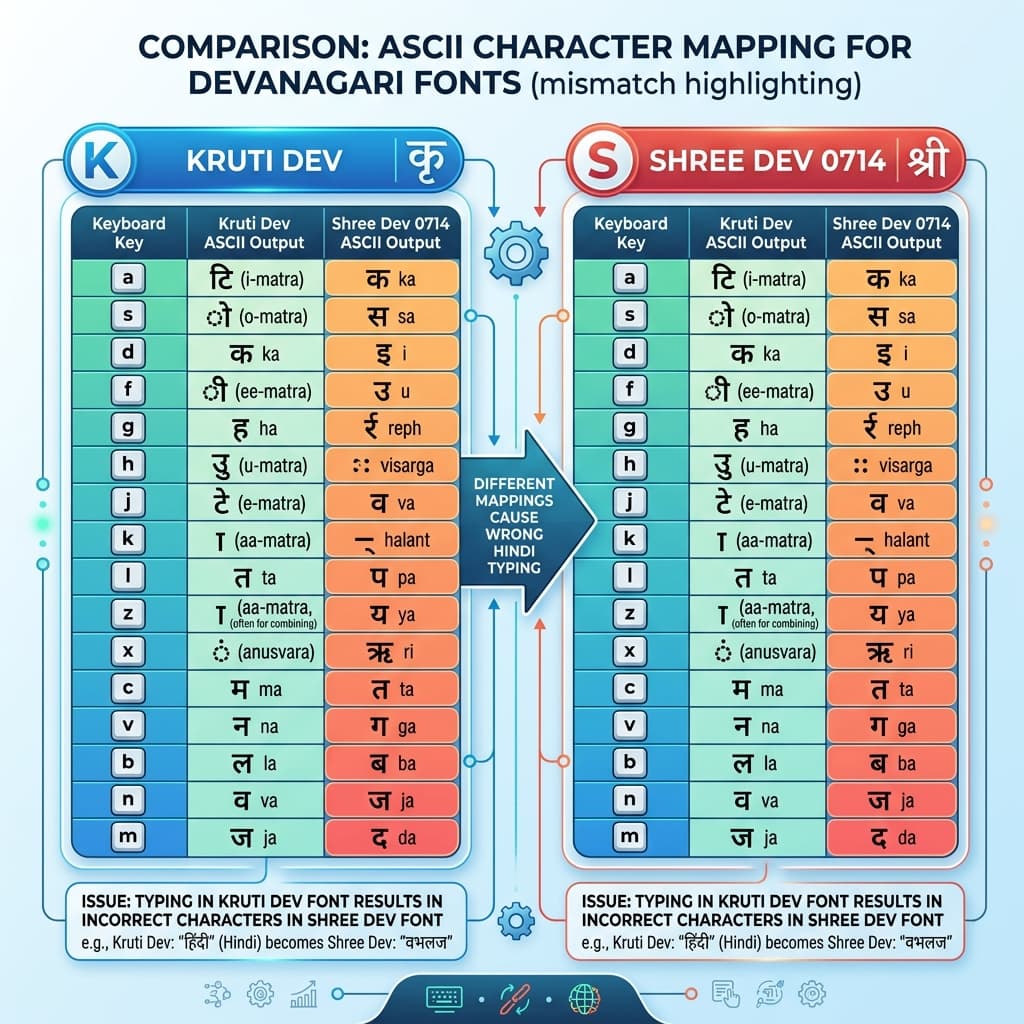
Same Devanagari characters, completely different ASCII positions — this mismatch is exactly why a converter exists.
Who Uses This Converter — Real User Profiles
The Kruti Dev to Shree Lipi converter is not a niche tool. It sits at the intersection of two massive legacy font ecosystems that together cover hundreds of millions of documents across India.
The Marathi Newspaper DTP Operator
Marathi newspaper printing is dominated by Shree Lipi fonts — particularly Shree Dev 0714, which has been the standard for Marathi newspaper body text for decades. But press writers and journalists often submit their copy typed in Kruti Dev, because Kruti Dev is what they learned and what their personal computers have installed. Every day, DTP operators across Maharashtra receive Kruti Dev copy that needs to be placed into Shree Lipi-based page templates. Conversion is not occasional for these professionals — it is a daily workflow step.
The Hindi Book Publisher
Book publishers who use Shree Lipi for typesetting regularly receive manuscript files from authors typed in Kruti Dev — because Kruti Dev is the most widely installed Hindi typing font in India. The publisher's template is in Shree Lipi. The author's text is in Kruti Dev. Conversion happens before typesetting begins.
The Government Printing Press
Many state government printing presses in Maharashtra use Shree Lipi for official gazette and document production. Source documents from different departments often arrive in Kruti Dev — the legacy of decades of standardization on different font systems in different parts of government. Conversion bridges the gap.
The DTP Freelancer
A freelance DTP operator working with clients across different regions of India regularly encounters both font systems. A client hands over a Hindi brochure in Kruti Dev. The print shop they work with uses a Shree Lipi-based PageMaker template. Conversion is the link between the two. Check our PageMaker Unicode to Legacy Guide for detailed instructions on managing PageMaker layouts.
The Wedding Card Designer
Wedding card content — the couple's names, family names, venue details, date — is typically supplied by the client in whatever format they have it, often Kruti Dev or plain typed text. If the designer's CorelDRAW template uses Shree Lipi calligraphy fonts, the received text needs to be converted before placement. Read the CorelDRAW Hindi Typography Setup Guide to configure these templates properly.
How to Use a Kruti Dev to Shree Lipi Converter — Step by Step
The conversion process itself is straightforward. Here is the exact workflow:
Step 1 — Identify the exact Kruti Dev variant of your source text
Kruti Dev has over 100 variants — Kruti Dev 010, Kruti Dev 011, Kruti Dev 016, Kruti Dev 020, and so on up to Kruti Dev 120. Different variants have slightly different character mappings. The most commonly used is Kruti Dev 010, which is the standard for government typing and general Hindi DTP. You might also encounter similar fonts like Chanakya; if so, refer to our Chanakya Font Guide. Check which variant was used to create your source text — it is usually visible in the font dropdown of the original file.
Step 2 — Identify the exact Shree Lipi variant you need
Similarly, Shree Lipi has multiple variants — Shree Dev 0714, Shree Dev 0708, Shree Dev 0706, and many others. Your target CorelDRAW or PageMaker template specifies which variant it uses. This matters because each variant has a slightly different internal character table, and conversion done for 0714 will be wrong if you apply 0708.
Step 3 — Paste the Kruti Dev text into the converter input
Open your source file. Select all the text. Copy it. Paste it into the converter's input field. At this stage the text may look correct in the input box — because your browser is rendering the font correctly if you have Kruti Dev installed, or it may look like random characters if you do not have it installed. Both are fine — the converter reads the raw ASCII values, not the visual appearance.
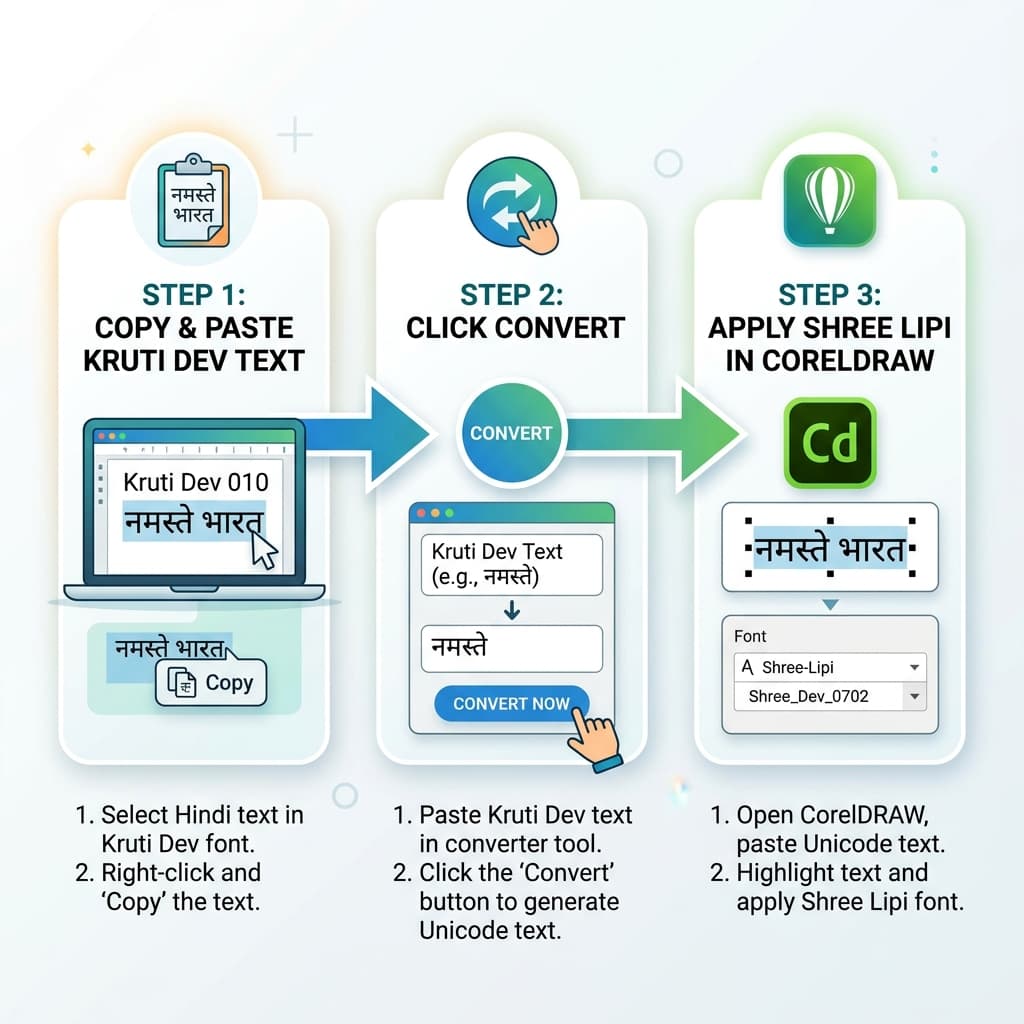
Three steps — paste, convert, apply font. The entire conversion workflow takes under 60 seconds.
Step 4 — Select the correct font variants and convert
Select Kruti Dev 010 (or your specific variant) as the source and Shree Dev 0714 (or your specific target variant) as the output. Click Convert. The conversion happens instantly. The output field shows what appears to be random English characters and symbols.
Step 5 — Copy the output and paste into your DTP software
Copy the output. Open your CorelDRAW or PageMaker file. Paste the converted text into the correct text frame. Immediately apply the Shree Lipi font that matches the target variant you selected in the converter. The text will render as correct Devanagari.
Step 6 — Verify critical characters manually
After conversion, visually check a few specific characters that are known to vary between systems: the nukta characters (ड़ and ढ़), the chandrabindu (ँ), and any uncommon conjuncts. These occasionally have multiple possible positions in legacy font tables and may need manual correction.
What This Converter Does Not Do
A Kruti Dev to Shree Lipi converter is a legacy-to-legacy tool. It moves text between two ASCII-based encoding systems. This is different from converting to Unicode.
If your goal is to make the text searchable, shareable on the internet, readable on mobile phones, or usable in any modern application — legacy-to-legacy conversion is not what you need. You need to convert to Unicode instead.
The recommended modern workflow is: convert your Kruti Dev text to Unicode first, then use our Unicode to Shree Lipi Converter at unicodetoshreelipi.com to get Shree Lipi output. This approach gives you both a portable Unicode copy of the text (for digital use, search, archiving) and a Shree Lipi-encoded copy (for your print DTP workflow). You get both outputs from a single source rather than creating a dead-end legacy-to-legacy conversion that serves only the print workflow.
Direct Kruti Dev to Shree Lipi conversion is best when:
- You have a large volume of existing Kruti Dev documents that need to go directly into an established Shree Lipi printing workflow
- The source text is purely for print output and digital portability is not needed
- Speed is the priority and you only need print-ready output
Unicode-via route is better when:
- You want to preserve a clean, portable master copy of the text
- The content will also be used digitally (website, email, archiving)
- You are building a new workflow from scratch
Pros and Cons of Kruti Dev to Shree Lipi Conversion
Pros:
Fast and direct. For established DTP workflows where both font systems are already in use, direct conversion is the quickest path from Kruti Dev input to Shree Lipi output. No intermediate steps.
Handles large documents. Good converters process thousands of words in seconds without manual intervention. A 10,000-word book manuscript converts in the same time as a 10-word headline.
Preserves the DTP workflow. Print shops and newspaper presses that have built their templates, page layouts, and operator training around Shree Lipi fonts do not need to restructure anything. The converter bridges the input without disturbing the output workflow.
No software installation needed. Online converters work in any browser on any device. Nothing to download or configure.
Cons:
Output is still a legacy font. The converted text is still Shree Lipi ASCII encoding — not Unicode. It cannot be searched, shared digitally, or used on web or mobile without the font installed. You have moved from one proprietary silo to another.
Variant matching is critical. If you select the wrong source or target variant, the output will have systematic errors — specific characters will be wrong throughout the entire document. You must know exactly which Kruti Dev and Shree Lipi variants you are working with.
Special characters may need manual correction. Nukta characters, chandrabindu, and rare conjuncts may not convert perfectly in all cases. A visual proofread of converted text is always recommended before sending to print.
Not future-proof. Both Kruti Dev and Shree Lipi are legacy systems. Converting between them extends the life of non-Unicode workflows. If you have the option to migrate to Unicode-based workflows, that is the better long-term investment — conversion tools like ours at unicodetoshreelipi.com make the transition straightforward.
Why the Unicode Route Is Worth Considering
Every print shop, every newspaper, every publishing house that is still running legacy-to-legacy workflows is managing a sunset technology. Kruti Dev and Shree Lipi will not be developed further. New software is built around Unicode. New government systems run on Unicode. New devices — every phone, tablet, and computer — support Unicode natively.
The migration path from this legacy world to Unicode does not have to be disruptive. For anyone currently working in Shree Lipi-based workflows, the Unicode to Shree Lipi Converter at unicodetoshreelipi.com provides an on-ramp: type or receive content in Unicode (which works everywhere), and convert to Shree Lipi only when you need print-ready DTP output. Your print workflow stays unchanged. But your source text becomes portable, searchable, and future-proof.
This is the practical middle path for professionals who cannot abandon their Shree Lipi templates and training overnight, but want to build on a foundation that will still be relevant in five years.
Common Problems Real Users Face
Problem: Specific matras are appearing in the wrong position after conversion.
Cause: Variant mismatch. The Kruti Dev variant used to create the source text is different from the one selected in the converter.
Fix: Open the original source file and check the exact font name in the font dropdown — note whether it is Kruti Dev 010, 011, 016, or another variant. Use that exact variant in the converter.
Problem: The converted text looks correct in CorelDRAW but prints with broken characters.
Cause: The Shree Lipi font is not embedded in the print output.
Fix: Export your CorelDRAW file as a PDF with fonts embedded (File > Export > PDF > enable Embed Fonts) before sending to the press. Never send the native .cdr file to a press unless they have confirmed they have the exact same Shree Lipi variant installed.
Problem: A few specific words are wrong in the output even though most text converted correctly.
Cause: The source text contains characters that were typed using a different Kruti Dev variant or manually edited by someone using a different keyboard layout.
Fix: Identify the incorrectly converted words, locate them in the original Kruti Dev text, and cross-reference the character against the source variant's character map. Correct manually in the converted output.
Problem: Chandrabindu (ँ) and half-anunaasik are converting incorrectly.
Cause: These characters have multiple possible ASCII positions in different legacy font systems and are the most frequent source of conversion errors.
Fix: After conversion, do a Find & Replace in CorelDRAW or PageMaker specifically for these characters. Locate each instance and verify manually.
Problem: You are not sure which Kruti Dev variant the original text was typed in.
Cause: The original typist did not record which variant they used, or the file has been through multiple hands.
Fix: Try the conversion with Kruti Dev 010 first — it is the most common variant by far. If specific characters are consistently wrong, try Kruti Dev 016 as the second most common variant. If both give incorrect output, the source may be DevLys — which uses a similar but distinct encoding — and requires a DevLys to Shree Lipi converter instead.
Conclusion
Kruti Dev and Shree Lipi are two legacy font systems, developed independently by different organizations — and that's exactly why their internal encodings don't match up. This incompatibility has been a daily headache for thousands of DTP operators, newspaper compositors, book publishers, and government press workers across India who work with Devanagari typesetting.
If you need a workflow that handles both your print DTP requirements and produces text that works everywhere digitally, our Unicode to Shree Lipi Converter is the smarter starting point. Convert from Unicode to Shree Lipi for print — while keeping your Unicode master file safe for every digital need.
For the complete picture of professional Devanagari DTP in 2026, explore our related guides:
- Shree Lipi Font System — full overview
- CorelDRAW Hindi Typography — practical setup guide
- Unicode vs Legacy Fonts — key differences and when to use each
Frequently Asked Questions
Ready to convert? Our main tool handles Unicode ↔ Shree Lipi with the same accuracy and speed — instantly in your browser.
Try Unicode ↔ Shree Lipi Converter