Shree Lipi in QuarkXPress: How to Type Hindi & Marathi (2026 Guide)
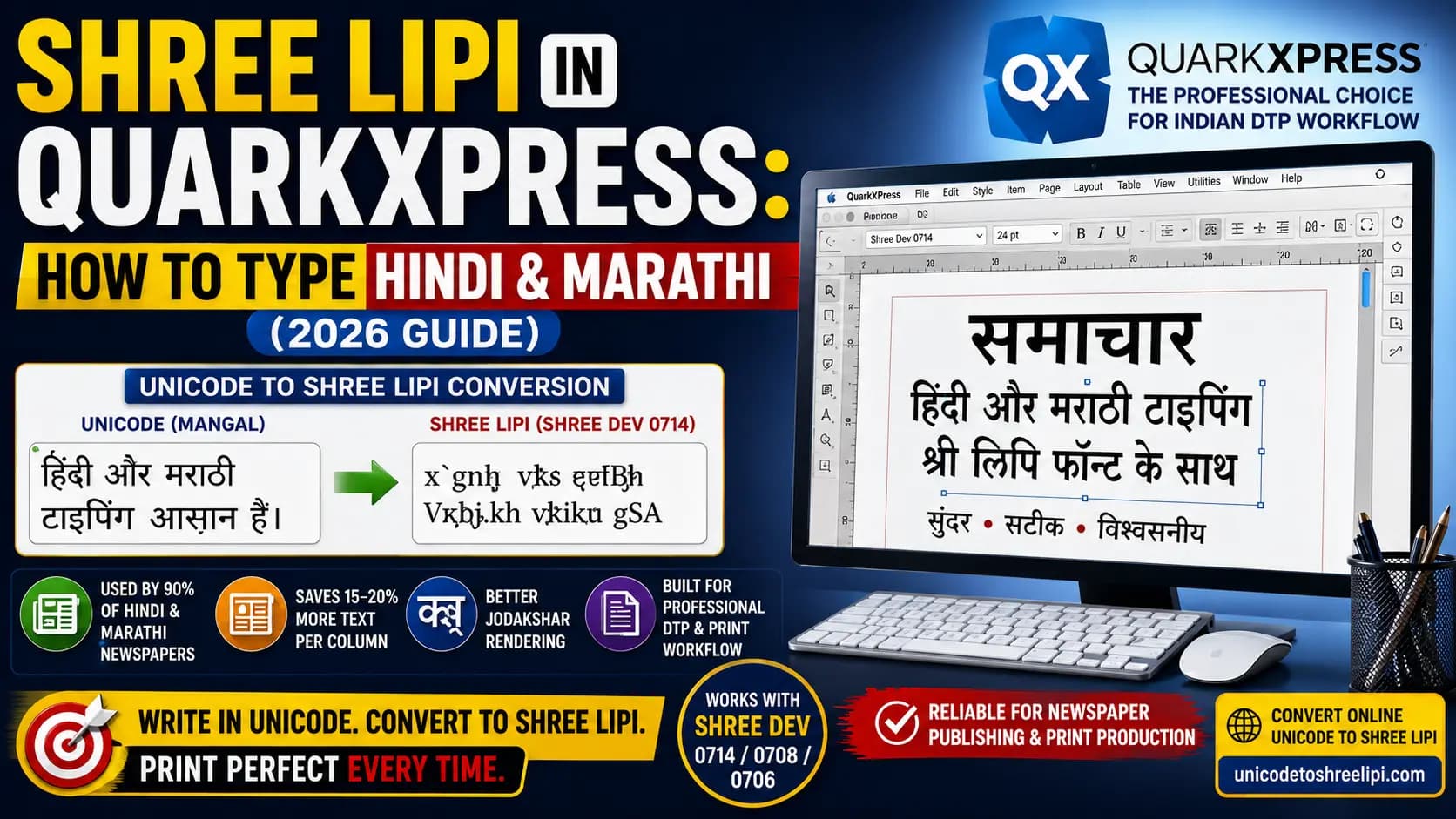
Shree Lipi in QuarkXPress is a traditional Devanagari DTP workflow used for Hindi and Marathi typesetting, in newspaper publishing and print production. This guide explains how to use Shree Dev fonts such as Shree Dev 0714, 0708, and 0706 in QuarkXPress, including the Unicode to Shree Lipi conversion process required for accurate text mapping. It covers Jodakshar (conjunct characters), font compatibility, column fitting, and common typing issues in professional DTP workflows.
You'll also learn the practical advantages and limitations of non-Unicode Shree Lipi fonts compared with Unicode-based text. For modern publishing workflows, the guide shows how to prepare Unicode Hindi or Marathi content and convert it to Shree Lipi before final QuarkXPress layout and printing.
Table of Contents
What is QuarkXPress?
QuarkXPress is a software that is developed for page layout, typography, graphic design, and print publishing. It is widely used to create newspapers, magazines, books, brochures, newsletters, and other print-ready publications. QuarkXPress can work with Devanagari fonts, including legacy Shree Lipi and Shree Dev font systems used in Indian-language publishing. This makes QuarkXPress relevant to newspaper production, commercial printing, multilingual typesetting, and professional publishing workflows.
Why Shree Lipi Is Still Used in QuarkXPress
Shree Lipi is a font system developed by Modular Infotech Pvt. Ltd., a company based in Pune that has been building Indian-language fonts since 1983. It's built specifically for Devanagari script — used for Hindi, Marathi, and related languages — and it has been the backbone of Indian newspaper printing for decades.
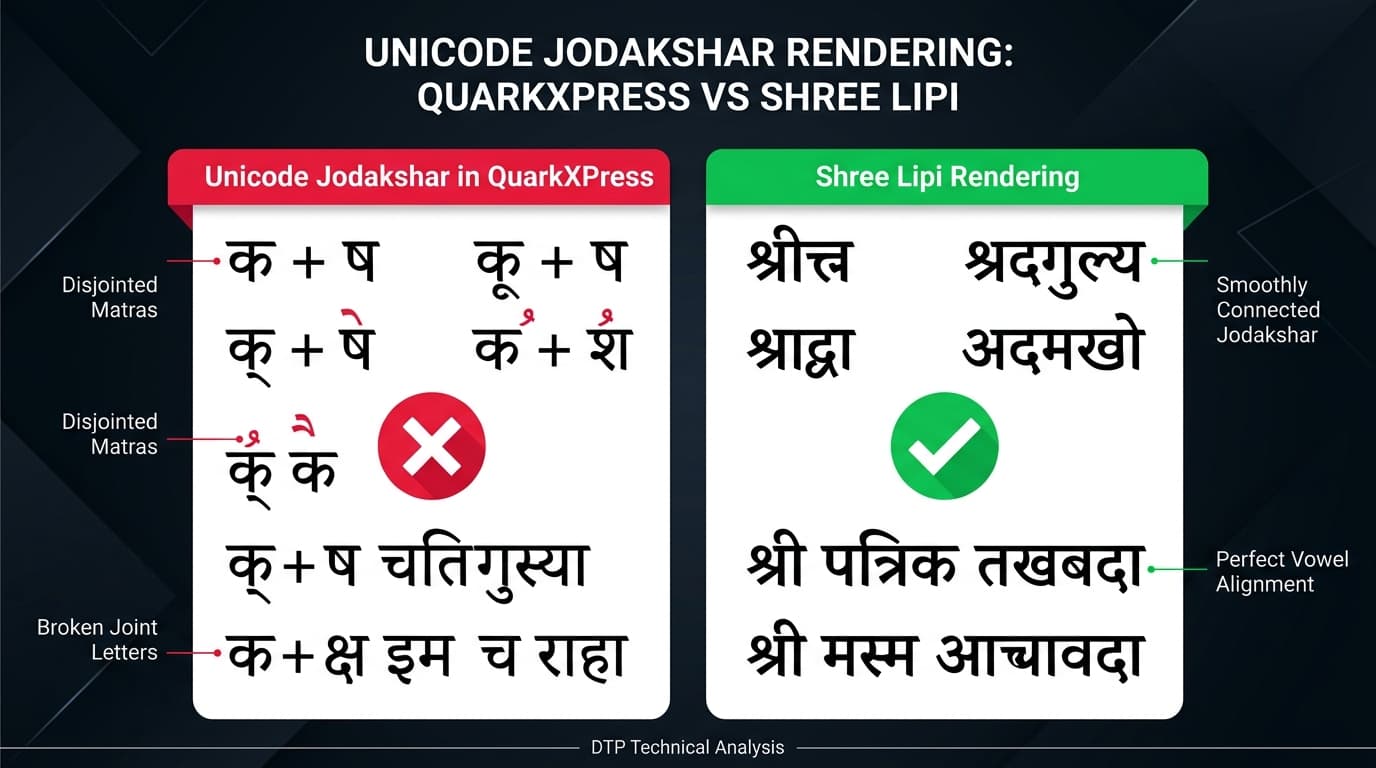
Most importantly, around 90% of Marathi and Hindi newspapers, including big names like Lokmat and Sakal, still use Shree Lipi fonts for their print editions, not Unicode. There are two solid reasons for this. First, Shree Lipi characters are built to be height-efficient, which lets newspapers fit roughly 15–20% more text into each column compared to a Unicode font like Mangal — and in newspaper printing, that space adds up to real paper savings. Second, QuarkXPress and Adobe PageMaker have a known history of struggling to correctly render Unicode "Jodakshar" — the joint or conjunct letters that are extremely common in Devanagari. Shree Lipi avoids this problem entirely, which is exactly why professional DTP houses have stuck with it.
Step-by-Step: How to Type Shree Lipi in QuarkXPress
Step 1 — Install the correct Shree Lipi font
Before typing anything, install the Shree Dev font your project needs — commonly Shree Dev 0714, Shree Dev 0708, or Shree Dev 0706. Different Shree Dev versions use slightly different internal character mappings, so always confirm which exact variant your newspaper or DTP template requires. You can download the fonts free from our Shree Dev Font Download Page.
Step 2 — Type or convert your content in Unicode first
Rather than typing directly in Shree Lipi's ASCII-style key layout, most DTP professionals write and edit their Hindi or Marathi content in normal Unicode first — it's easier to read, edit, and spell-check. Keep this Unicode version as your master copy.
Step 3 — Convert Unicode text to Shree Lipi
Once your content is finalised, convert it from Unicode to Shree Lipi using the Unicode to Shree Lipi Converter at unicodetoshreelipi.com. This step re-maps every character, including complex conjuncts, into the correct Shree Lipi key sequence — something a simple copy-paste can never do correctly.
Step 4 — Paste the converted text into QuarkXPress
Paste the converted output into your QuarkXPress text box. At this stage, it will look like a jumble of ASCII characters — that's completely normal and expected.
Step 5 — Apply the Shree Lipi font
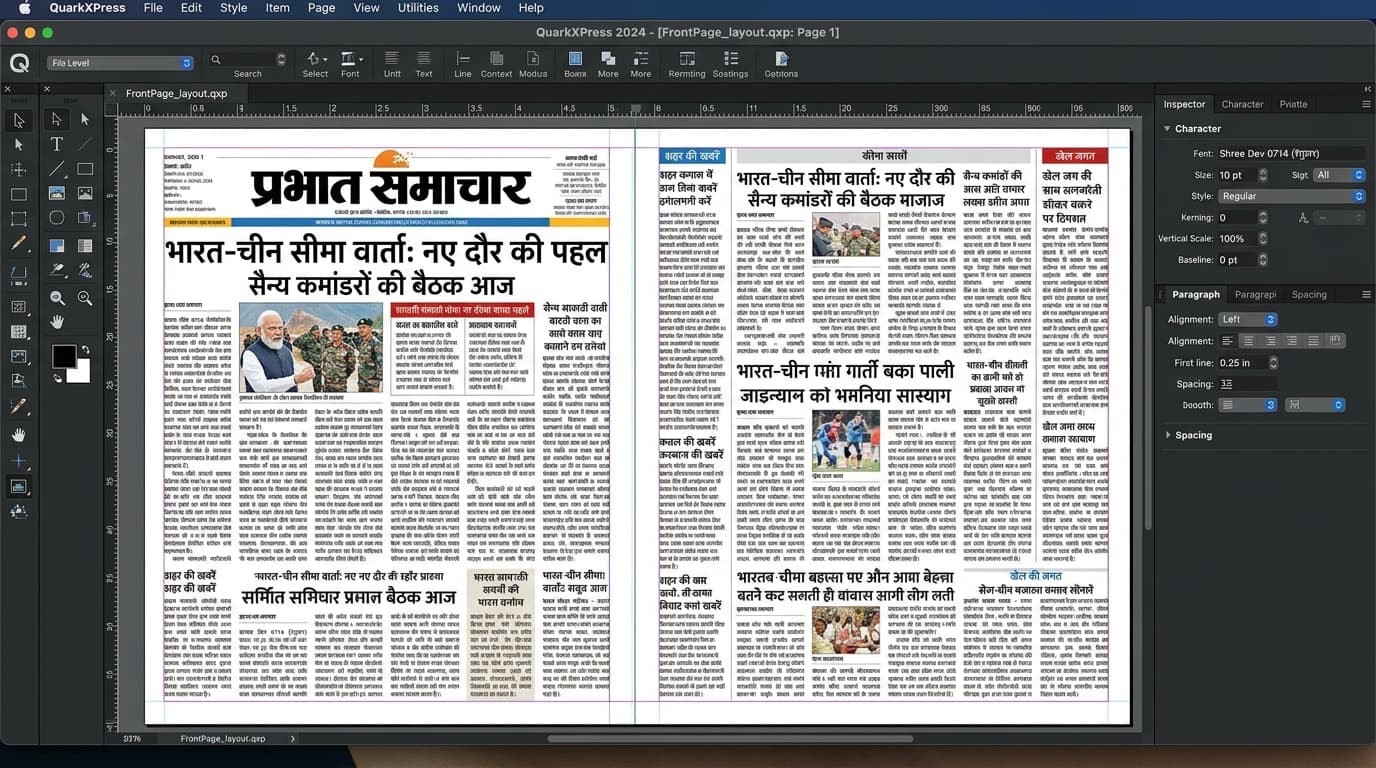
Select the pasted text and apply the correct Shree Dev font from your font list. The scrambled-looking text will immediately turn into properly formed Devanagari script, matching exactly how it will look in print.
Step 6 — Check conjuncts and column fit before finalising
Since Jodakshar rendering is the whole reason many teams use Shree Lipi in the first place, double-check that all joint letters are displaying correctly, and confirm your text fits the column widths as expected before sending the file to print.
Pros of Using Shree Lipi in QuarkXPress
- Reliable conjunct rendering — Jodakshar letters display correctly and consistently, avoiding the broken-character issues that Unicode sometimes causes in QuarkXPress.
- Saves space and paper — the height-efficient design fits more text per column, which genuinely matters for newspapers printing large volumes daily.
- Decades of industry trust — Shree Lipi has been the standard in Indian newspaper DTP for a long time, so most experienced typists and DTP staff already know it well.
- Strong template compatibility — most existing newspaper and print templates were already built around Shree Lipi, so sticking with it avoids rebuilding entire layouts from scratch.
Cons of Using Shree Lipi in QuarkXPress
- Not readable without the exact font — like any non-Unicode, ASCII-mapped font, Shree Lipi text is unreadable on any device or software that doesn't have the correct font installed.
- Extra conversion step required — you can't simply type or paste Unicode content directly; it needs proper conversion first, which adds a step to every workflow.
- Not usable for digital or web content — Shree Lipi text cannot be used on websites or in search engines, so any content also going online needs a separate Unicode version maintained alongside it.
- Version confusion risk — since different Shree Dev variants use slightly different mappings, using the wrong version for a given template can quietly produce incorrect output.
Key Takeaways
- Around 90% of Marathi and Hindi newspapers still use Shree Lipi in QuarkXPress for print production — it's not outdated habit, it solves real problems.
- Jodakshar (conjunct) rendering is the primary reason — QuarkXPress handles Shree Lipi conjuncts more reliably than Unicode.
- Height-efficient glyphs save 15–20% column space, which translates to real paper cost savings at newspaper scale.
- The smart workflow is: write in Unicode → convert to Shree Lipi → paste into QuarkXPress → apply the font.
- Always confirm the exact Shree Dev variant (0714, 0708, or 0706) your template requires — wrong variant = wrong output.
- Content going online must be kept in Unicode separately — Shree Lipi text is invisible to search engines and web browsers.
Conclusion
Shree Lipi's continued use in QuarkXPress isn't old-fashioned habit — it's a practical decision built around real, ongoing problems: reliable conjunct rendering and column space savings that Unicode still hasn't fully solved in this software. The trade-off is real too — an extra conversion step, and text that only works once the right font is applied.
For most DTP professionals, the smart middle ground is writing in Unicode, converting to Shree Lipi only at the final print stage — and the Unicode to Shree Lipi Converter at unicodetoshreelipi.com is built exactly for that step.
Read Next:
- Adobe InDesign Hindi Typing Guide (2026) – Unicode Setup, Shree Lipi Workflow & Every Font Issue Fixed →
- CorelDRAW Mein Hindi Typing Kaise Kare – Shree Lipi Method →
- Shree Dev 0714 Complete Guide – Uses, Installation & Unicode Conversion →
- How to Convert Hindi Text for PageMaker – Unicode to Legacy Font Guide →
Frequently Asked Questions
Ready to convert? Our main tool handles Unicode ↔ Shree Lipi with the same accuracy and speed — instantly in your browser.
Try Unicode ↔ Shree Lipi Converter