CISF Hindi Typing Test 2026 – Mangal Font Setup, Speed Rules & Preparation Guide
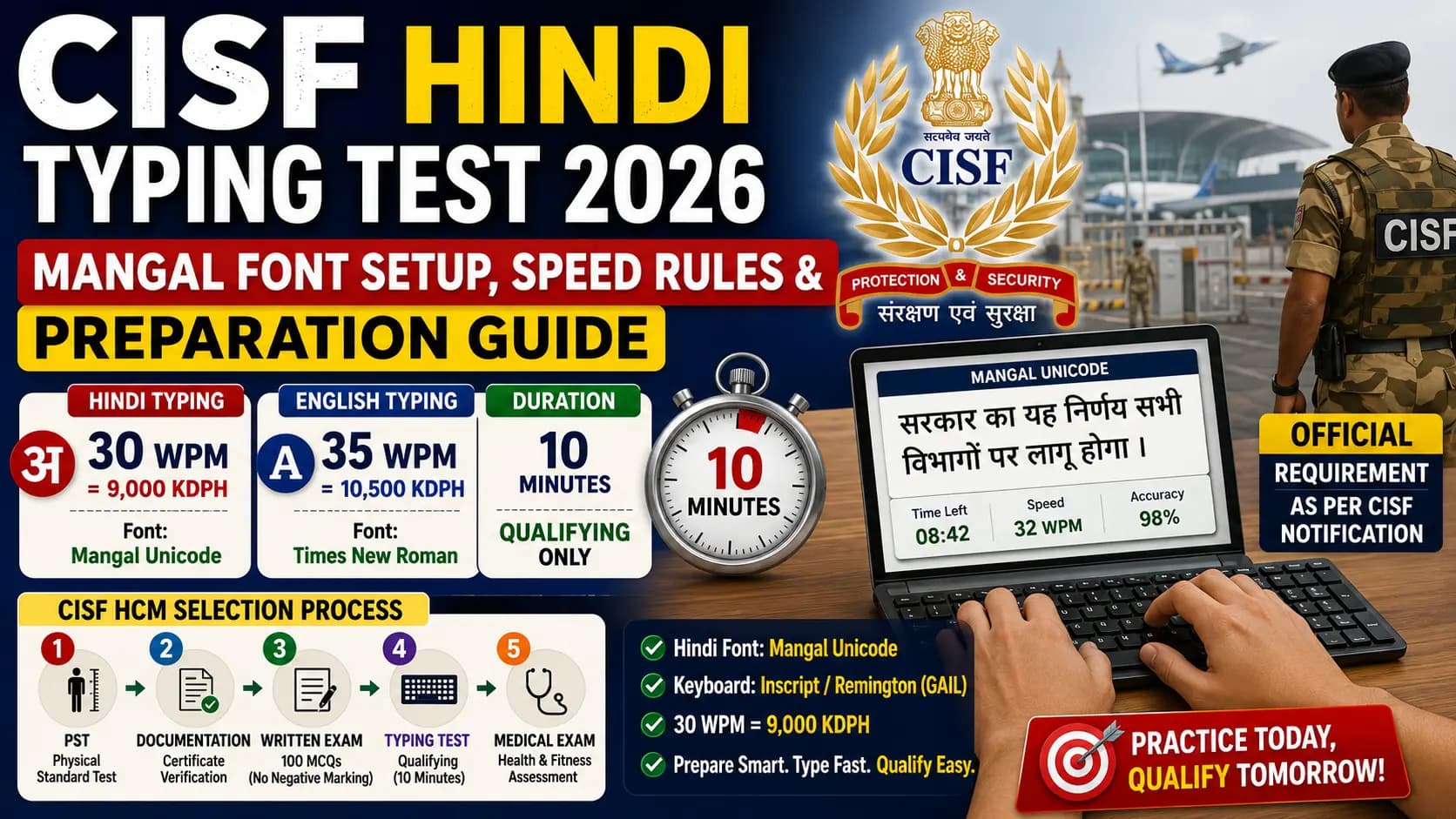
If you are targeting a Head Constable Ministerial post in the Central Industrial Security Force, here is the thing most candidates underestimate: you can clear the written exam, pass the Physical Standard Test, survive the Documentation round — and still walk away with nothing because of a 10-minute typing test.
The CISF typing test is qualifying in nature. That means it does not add to your score. It just decides whether you continue or go home. And every year, candidates who sailed through the written exam stumble here — not because they cannot type, but because they practiced on the wrong font, set up the wrong keyboard layout, or had no idea what 9000 KDPH actually means in real typing terms.
This guide fixes all of that. CISF HCM typing test 2026 — what the rules actually say, how to set up Mangal font correctly, which keyboard layout to use, and how to prepare so the typing test is the easiest part of your CISF journey.
Table of Contents
- What Is CISF and Why Does the Ministerial Post Require Typing?
- The Five-Stage CISF HCM Selection Process
- The Exact CISF Typing Test Requirements
- The Font You Must Use — Mangal Unicode
- Which Keyboard Layout — Remington Gail or InScript?
- How to Set Up Mangal Font With Remington Gail on Windows
- The 30 WPM Target — What It Looks Like in Practice
- Preparation Timeline — 8 Weeks to CISF Ready
- How This Connects to Your Hindi Workflow Beyond the Exam
- Conclusion
- Frequently Asked Questions
What Is CISF and Why Does the Ministerial Post Require Typing?
The Central Industrial Security Force is one of India's seven Central Armed Police Forces, operating under the Ministry of Home Affairs. CISF is responsible for providing integrated security coverage to 359+ units across the country — including all major international airports, nuclear power plants, space installations, metro rail systems, seaports, oil refineries, and critical public sector undertakings.
The Head Constable Ministerial (HCM) post sits at the administrative and clerical core of CISF operations. These are the people who handle record-keeping, correspondence, documentation, data entry, and office administration across CISF units. Typing proficiency is not a bonus requirement for this post — it is the fundamental job skill. A CISF HCM who cannot type efficiently cannot do the job.
The post falls under Pay Level-4 with a salary range of Rs. 25,500 to Rs. 81,100 per month, plus applicable DA, HRA, and MSP allowances. It is a permanent central government post with all associated benefits — and the typing test is the filter between candidates who want the job and candidates who are genuinely prepared for it.
The Five-Stage CISF HCM Selection Process
Before getting into typing specifics, here is the complete selection pipeline. Every stage is mandatory. Clear all five and you are in. Fail one and that cycle is over for you.
| Stage | Name | Details |
|---|---|---|
| Stage 1 | PST (Physical Standard Test) | Height and weight verification. Male and female separate standards. Documentation and measurement — not a fitness test. |
| Stage 2 | Documentation | Original certificate verification — educational qualifications, identity proof, caste certificates. Discrepancies lead to immediate disqualification. |
| Stage 3 | Written Examination (CBT) | 100 MCQs in 120 minutes. Four sections. No negative marking. Qualifying marks: 35% UR/EWS/Ex-SM, 33% SC/ST/OBC. Merit is determined here. |
| Stage 4 | Typing Test | 10 minutes. Qualifying only — does not add to written exam score. Fail here and your written exam rank is irrelevant. |
| Stage 5 | Medical Examination | Health and fitness assessment against CISF medical standards. |
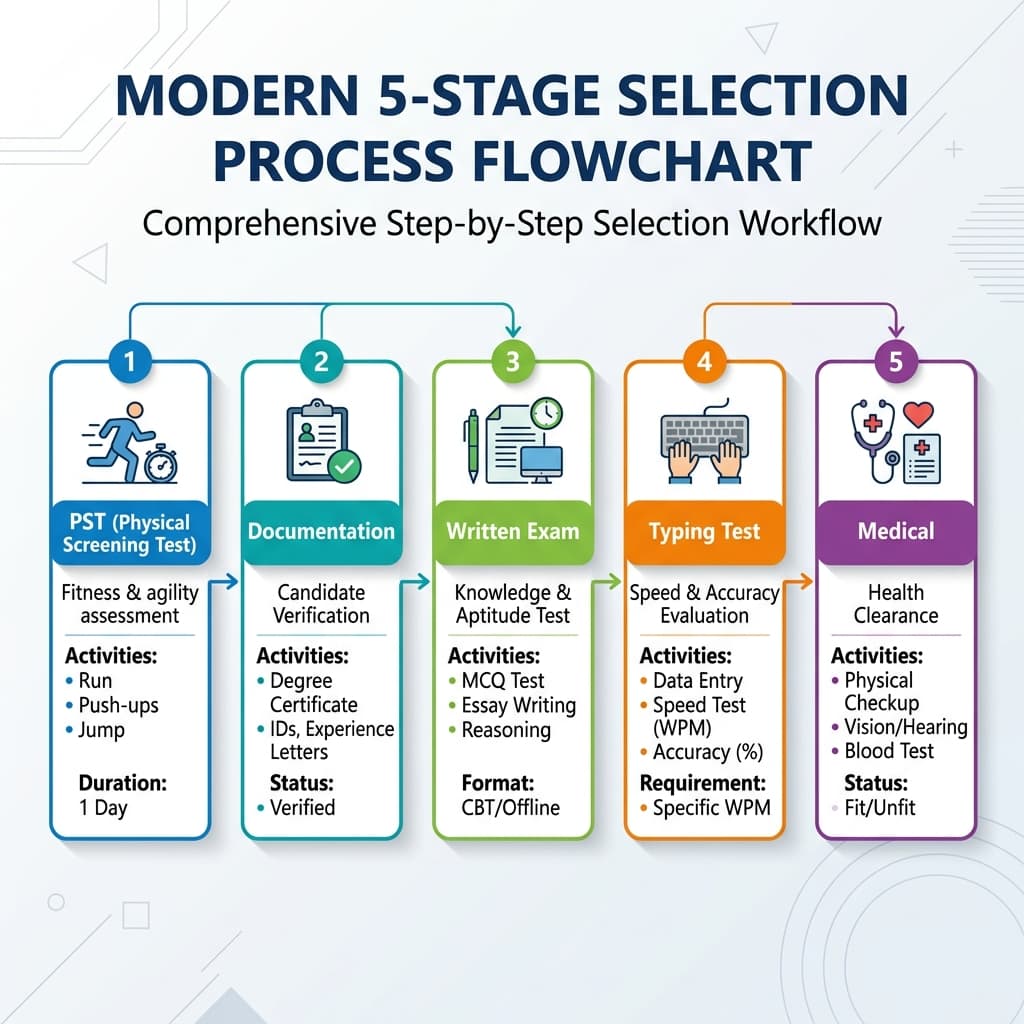
CISF HCM has five mandatory stages — failing any one means disqualification from that cycle.
Important: The typing test happens after the written exam. This means you have the time between application and written exam results to build your typing proficiency. Do not wait until after results to start practicing. Start now.
The Exact CISF Typing Test Requirements
Here are the verified numbers from official CISF HCM notifications:
| Language | Minimum WPM | Equivalent KDPH | Duration | Font |
|---|---|---|---|---|
| Hindi | 30 WPM | 9,000 KDPH | 10 minutes | Mangal Unicode |
| English | 35 WPM | 10,500 KDPH | 10 minutes | Times New Roman |
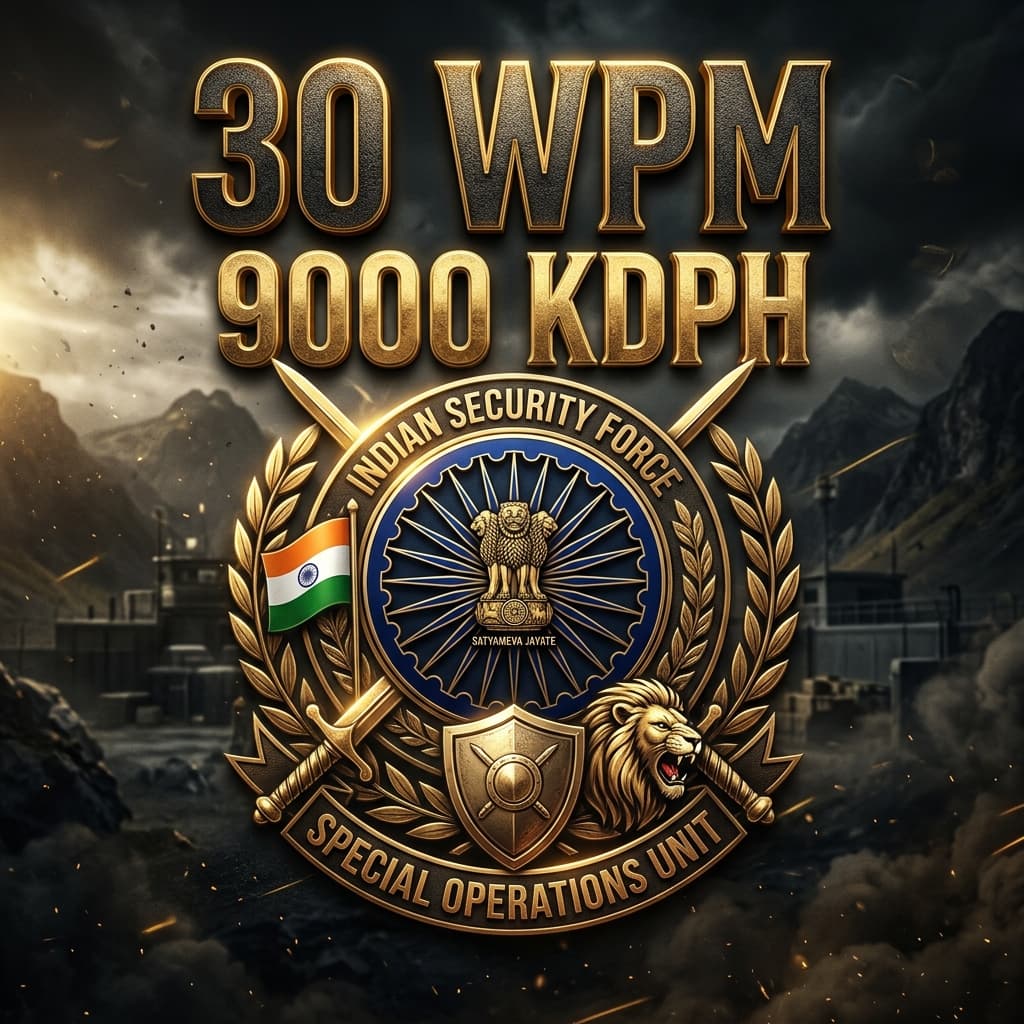
One number you cannot afford to get wrong — 30 WPM net in Hindi, equivalent to 9000 key depressions per hour.
30 WPM × 5 keystrokes per word = 150 keystrokes per minute × 60 minutes = 9,000 KDPH. This is exactly the metric CISF uses internally for speed assessment — and it is useful when you see your practice software reporting KDPH instead of WPM.
One language — one attempt. You declare your language preference (Hindi or English) at the time of the typing test. You cannot switch mid-test.
For most Hindi-medium candidates from North India, Hindi at 30 WPM is significantly more achievable than English at 35 WPM. The vocabulary of Hindi government administrative passages — सरकार, विभाग, कार्यालय, अधिकारी, प्रस्ताव, निर्देश — is familiar territory. Make this language decision based on where you are currently faster — not where you think you should be.
The Font You Must Use — Mangal Unicode
This is not negotiable, and it is where more CISF typing test failures originate than anywhere else.
CISF uses Mangal Unicode for Hindi typing tests. Kruti Dev and Devlys do not work in the CISF test environment — they are legacy ASCII-based fonts that are incompatible with the Unicode CBT platform used in government exams.
Mangal is a Unicode-compliant Devanagari font developed by Microsoft. It covers the complete Devanagari Unicode block (U+0900–U+097F). Text typed in Mangal is genuine Unicode — portable, searchable, and readable on any modern device. This is the official Hindi typing standard for all central government digital work, endorsed by the Department of Official Language.
Critical warning: If you have been practicing on Kruti Dev — even for months — that practice does not transfer to Mangal. The key positions are different. The encoding is different. The muscle memory you built for Kruti Dev is actively wrong for a Mangal exam. Candidates who make this mistake arrive at the CISF typing test with confident speed and watch it evaporate.
Verify that Mangal is installed on your practice system before your first session. Open MS Word, click the font dropdown, search for "Mangal." If it appears, you are ready. If not, download it free from unicodetoshreelipi.com/fonts and install it in two clicks.
Which Keyboard Layout — Remington Gail or InScript?
Both are accepted for CISF Hindi typing. And unlike CPCT — where the layout is locked at registration — CISF typically allows you to use either layout during the test. That said, always confirm this in your specific recruitment notification, as rules can vary between cycles.
Remington Gail
The digital successor to the mechanical Hindi typewriter layout. Maps Devanagari characters to keyboard positions based on usage frequency — the most common Hindi characters (क, र, त, न, स) sit on home-row positions. The Halant key (Shift+=) creates conjuncts and half-forms. Remington Gail requires Microsoft Indic Input 3 installed on Windows.
Most CISF candidates choose Remington Gail because:
- It mirrors the old Remington typewriter layout that many Hindi typing institutes teach
- Candidates who learned Kruti Dev find Remington Gail more familiar (similar key positions in many areas)
- Typing institutes across UP, Bihar, Rajasthan, and MP predominantly teach Remington Gail for CAPF exams
InScript
The Government of India's official keyboard standard, codified as IS 16350:2016 by the Bureau of Indian Standards. Built directly into Windows — no additional software download required. Logical phonetic zone structure: vowels and matras on the right, consonants on the left.
Choose InScript if:
- You are learning Hindi typing from scratch and have no prior keyboard layout training
- You are simultaneously preparing for SSC CHSL or RRB NTPC (which use InScript)
- You prefer the logical zone structure over frequency-based key placement
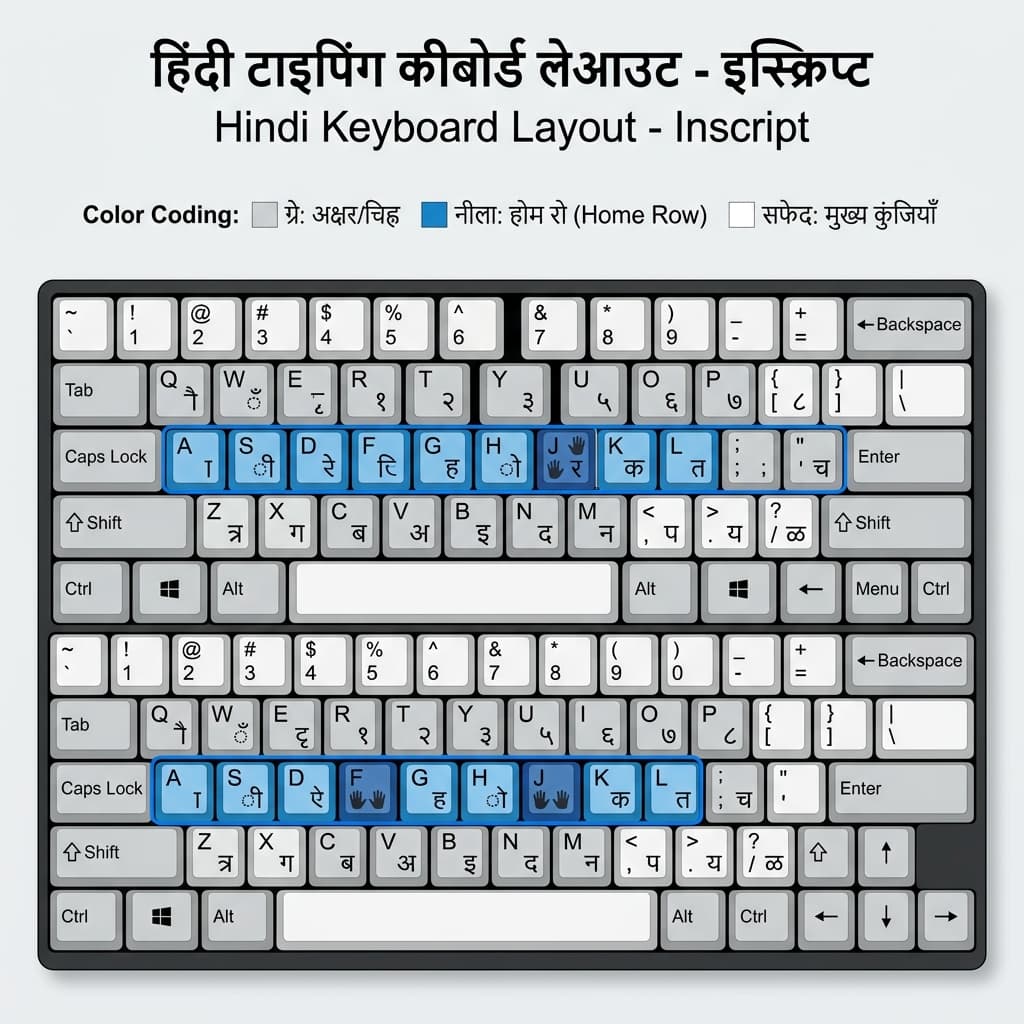
Remington Gail is the most commonly used keyboard layout for CISF Hindi typing — learn this before the InScript alternative.
Practical recommendation: If you have any prior Hindi typing experience (Kruti Dev, Remington typewriter, or any CAPF coaching), go with Remington Gail. If you are starting completely fresh and not targeting SSC/RRB simultaneously, InScript is equally valid and does not require additional software.
How to Set Up Mangal Font With Remington Gail on Windows
Complete setup in 6 steps:
Step 1 — Verify Mangal Font is Installed
Open MS Word. Click the font dropdown. Type "Mangal." If it appears, skip to Step 2. If not, download the TTF file free from unicodetoshreelipi.com/fonts, right-click the downloaded file, select Install. Done.
Step 2 — Download Microsoft Indic Input 3
Search "Microsoft Indic Input 3 download" and download it directly from Microsoft's official website. It is free, approximately 4MB, and available for both 32-bit and 64-bit Windows. Download the correct version for your system (most modern PCs are 64-bit — check in System Settings > About if unsure).
Step 3 — Install Indic Input 3
Run the downloaded installer. Click Next through the setup wizard. Click Finish. The software integrates into Windows automatically.
Step 4 — Add Hindi Remington Gail Keyboard
Go to Windows Settings (Windows Key + I). Navigate to Time & Language > Language. Click on Hindi (India). Click Options. Under Keyboards, click Add a keyboard. Search for "Hindi Remington (GAIL)." Select it and click Add.
Step 5 — Verify Setup
In your Windows taskbar (bottom right), you will see a language indicator showing "ENG." Click it — you should now see "Hindi Remington (GAIL)" as an available option. Select it to switch your keyboard to Remington Gail mode.
Step 6 — Test in MS Word
Open MS Word. Select Mangal from the font dropdown. Press Windows Key + Spacebar to switch to Hindi Remington Gail input. Type a few words. If Hindi text appears in Mangal font — your setup is complete and ready for CISF practice.
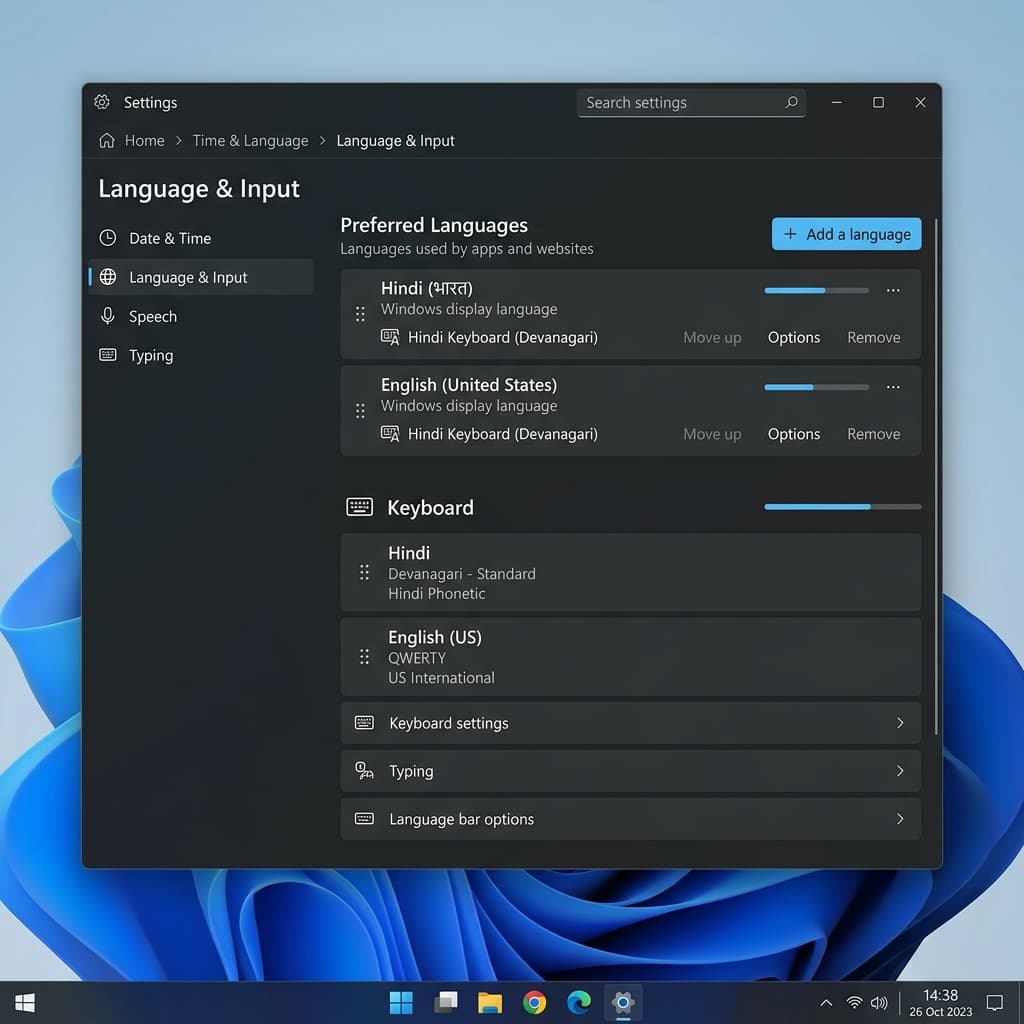
Microsoft Indic Input 3 + Windows Settings — the two-step setup that makes Remington Gail available for CISF practice.
Windows 11 note: Some Windows 11 builds have issues recognising Indic Input 3's Remington Gail option. If it does not appear after installation, restart Windows and check again. If still absent, download Keyman Desktop from keyman.com as an alternative — it also supports Remington Gail and is free.
InScript Setup (No Extra Software Needed)
Windows Settings → Time & Language → Language → Hindi (India) → Options → Add a keyboard → select "Hindi InScript." Switch using Windows Key + Spacebar. InScript is already available in Windows without any download.
The 30 WPM Target — What It Looks Like in Practice
30 WPM over 10 minutes sounds straightforward until you sit down and try it under real pressure with an unfamiliar passage.
| Metric | Value |
|---|---|
| Total words to type (minimum, all correct) | 300 words |
| Total keystrokes (at 5 per word) | ~1,500 keystrokes |
| Real-time pace | 1 word every 2 seconds, sustained for 10 minutes |
| Recommended practice target | 35–38 WPM with 92%+ accuracy |
The "sustained for 10 full minutes" part is where most candidates underperform. Practicing in 3 to 5 minute sessions builds peak speed — but does not build the attention and accuracy consistency required over 10 minutes. Research from typing coaches across India consistently shows that accuracy drops 10 to 15% in the second half of longer tests for candidates who only practiced in short bursts.
The 5–8 WPM buffer: Target practice speed of 35–38 WPM — not 30. If your comfortable practice speed is 35 WPM with 92%+ accuracy, your exam-day net speed — accounting for test anxiety, unfamiliar passage content, and minor attention dips — will land comfortably at 30–32 WPM. Candidates who train to exactly 30 WPM are one bad paragraph away from failure.
Preparation Timeline — 8 Weeks to CISF Ready
This is the preparation structure used by successful CISF HCM candidates across recent recruitment cycles.
Weeks 1 and 2 — Accuracy Foundation
Practice at whatever comfortable pace allows 95% accuracy. Even if that is 12 to 15 WPM. The goal is not speed — it is locking in correct key positions so muscle memory builds on right patterns, not wrong ones. Disable backspace if your practice tool allows it. Force your fingers to get it right the first time.
Weeks 3 and 4 — Endurance Building
Extend sessions to full 10-minute blocks. Track accuracy at the 5-minute and 10-minute marks separately. If accuracy in the second half drops below 88%, focus specifically on sustaining accuracy in that window. Practice with actual administrative Hindi passages — government circular style vocabulary that CISF passages use.
Weeks 5 and 6 — Speed Development
With accuracy stable and endurance built, push speed. Track net WPM (not gross) after every session. Focus on your personal error patterns — most typists have 3 to 5 specific characters or conjuncts that cause 70% of their errors. Drill those specifically. For more speed tips, see our Hindi Typing Speed Improvement Guide.
Weeks 7 and 8 — Exam Simulation
Full 10-minute mock tests under real conditions. Phone off, timer running, no pausing. Review error logs after each session. Aim for 35 WPM net by the end of this phase to give yourself the 5 WPM buffer.
Key Takeaways — CISF Preparation
- Practice on Mangal Unicode only — never Kruti Dev during CISF preparation
- Choose your keyboard layout before week 1 and commit to it
- Build accuracy to 95% before chasing speed
- Train at full 10-minute duration, not 3–5 minute bursts
- Target 35–38 WPM practice speed — not the 30 WPM minimum
- Week 7 and 8: simulate exam conditions exactly
How This Connects to Your Hindi Workflow Beyond the Exam
Once you have Mangal Unicode typing set up and running, that skill extends beyond the CISF exam. Mangal Unicode text can be used directly in any modern application — government portals, digital documents, email, and databases.
For designers and DTP professionals who also need to convert Unicode Hindi into Shree Lipi legacy format for print work in CorelDraw or PageMaker — the Unicode to Shree Lipi Converter at unicodetoshreelipi.com handles this instantly. Paste your Mangal Unicode text and get Shree Lipi-encoded output ready for print.
For calligraphy and artistic design work using AMS fonts — wedding cards, festival posters — the Unicode to AMS Converter at unicodetoshreelipi.com/ams-converter converts your Mangal-typed text to AMS encoding in one step.
Your CISF typing setup is the gateway to a complete Unicode Hindi workflow, both for the exam and for professional work beyond it.
Conclusion
The CISF Hindi typing test is a 10-minute qualifying test — not a merit contributor. But qualifying tests have a way of being the hardest part of any selection process, because candidates assume they are secondary and under-prepare for them.
Do not make that assumption. Start Mangal Unicode practice immediately. Set up either Remington Gail or InScript before your first session. Build to 35 to 38 WPM with 92%+ accuracy — not just the 30 WPM minimum. Train at full 10-minute duration, not short bursts.
Get your Mangal font set up and ready for practice at unicodetoshreelipi.com/fonts. Check our complete Mangal font setup guide and InScript vs Remington Gail comparison for the detailed foundation before your first session.
CISF protects India's most critical infrastructure. The HCM post serves that mission at the administrative core. Earn it with the preparation it deserves.
Frequently Asked Questions
Ready to convert? Our main tool handles Unicode ↔ Shree Lipi with the same accuracy and speed — instantly in your browser.
Try Unicode ↔ Shree Lipi Converter