Azhagi+ vs Online Bamini Converters: Which Is Better for DTP?
If you work with Tamil text and Bamini fonts, you've probably heard of two very different tools that both do the same basic job — converting text between Bamini and Unicode. One is Azhagi+, a full software program you install on your computer. The other is a simple online Bamini converter, a website where you paste text and get it converted in seconds.
Both work. But they built for different kinds of work, and picking the wrong one can slow you down more than you'd expect. This guide breaks it down in plain, simple language, so you can pick the right tool for your actual job — not just the one you heard about first.
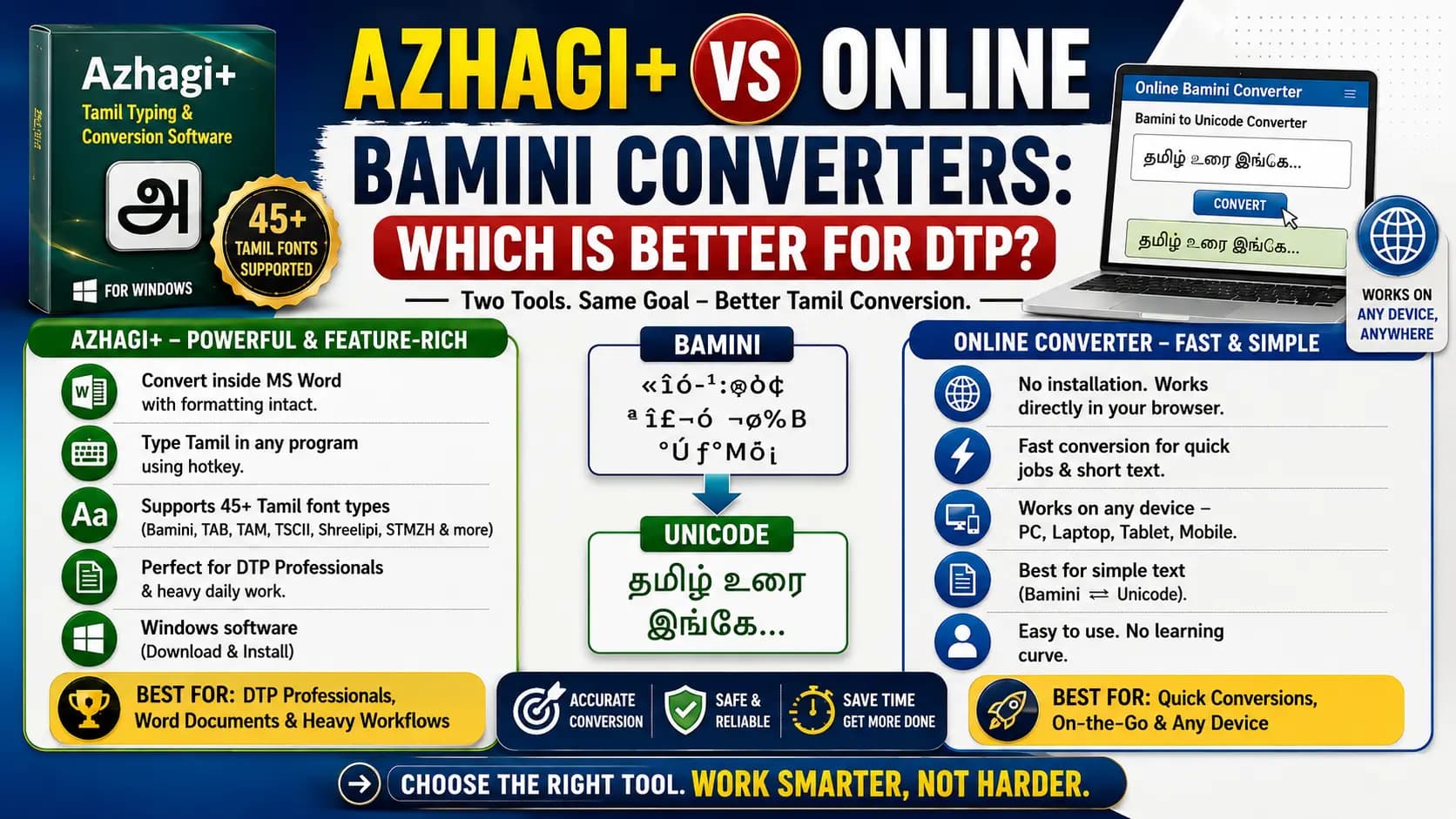
Table of Contents
What Is Azhagi+
Azhagi+ is a free program you download and install on a Windows computer. It's not just a converter — it's a full Tamil typing and conversion tool. It supports around 45 different Tamil font styles, including Bamini, TAB, TAM, TSCII, Shreelipi, and STMZH, so it can handle almost any old Tamil font you come across.
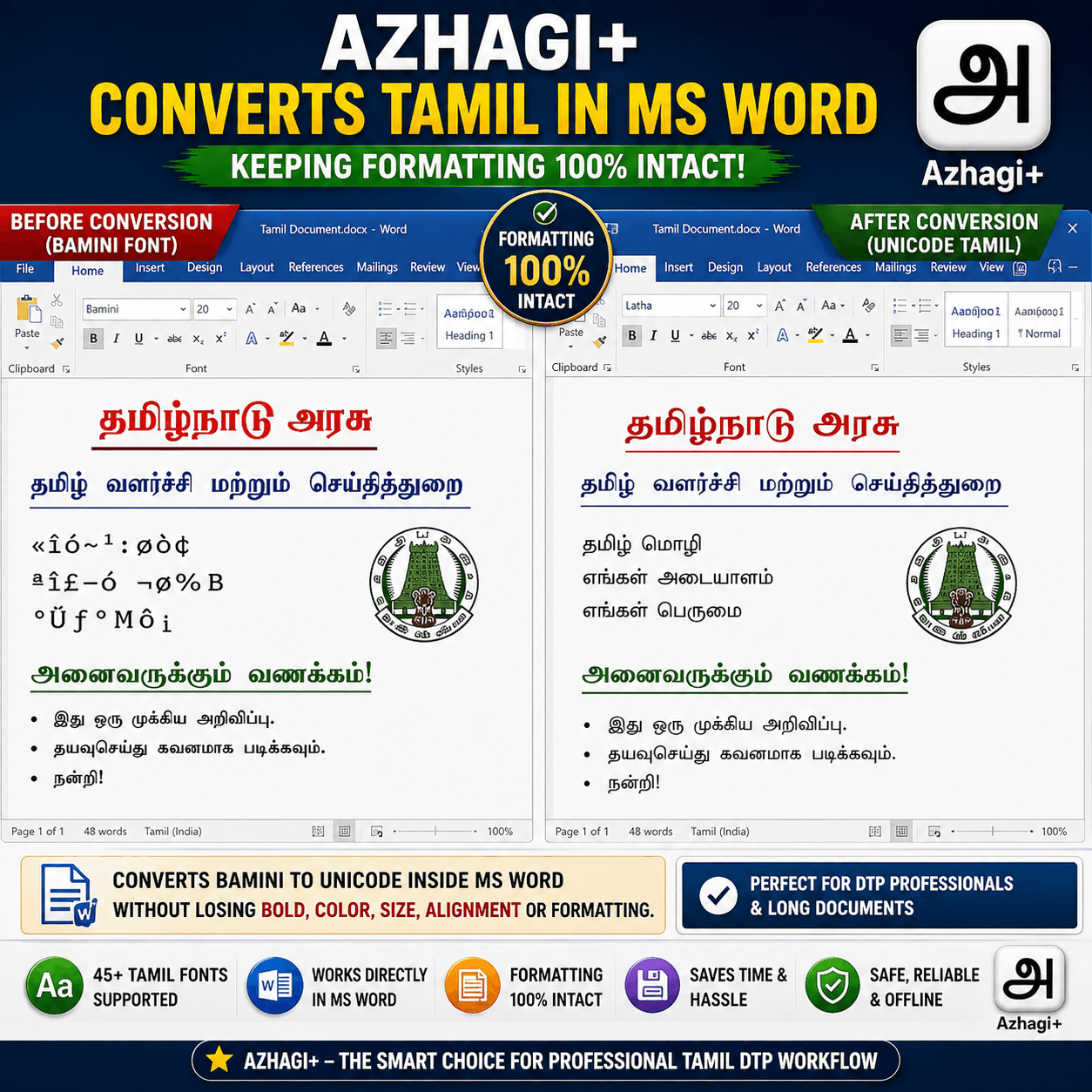
One of its best features is that it can convert text directly inside an MS Word file, without breaking your formatting. So if your document has bold words, colors, or a specific layout, Azhagi+ can convert the Tamil font while keeping all of that exactly as it was. It can also let you type Tamil directly into any Windows program using a simple hotkey, so you don't always need to convert already-written text — you can type fresh Tamil straight into your work.
What Is an Online Bamini Converter
An online Bamini converter is much simpler. It's a website, not a program. You open it in your browser, paste your Tamil text into a box, click "Convert," and get your result instantly. There's nothing to download, nothing to install, and nothing to set up.
This kind of tool is built for one clear job: quick, simple conversion between Bamini and Unicode. You don't get typing features or Word document formatting tools — just fast, accurate text conversion whenever you need it.
Azhagi+ vs Online Converter — Side by Side
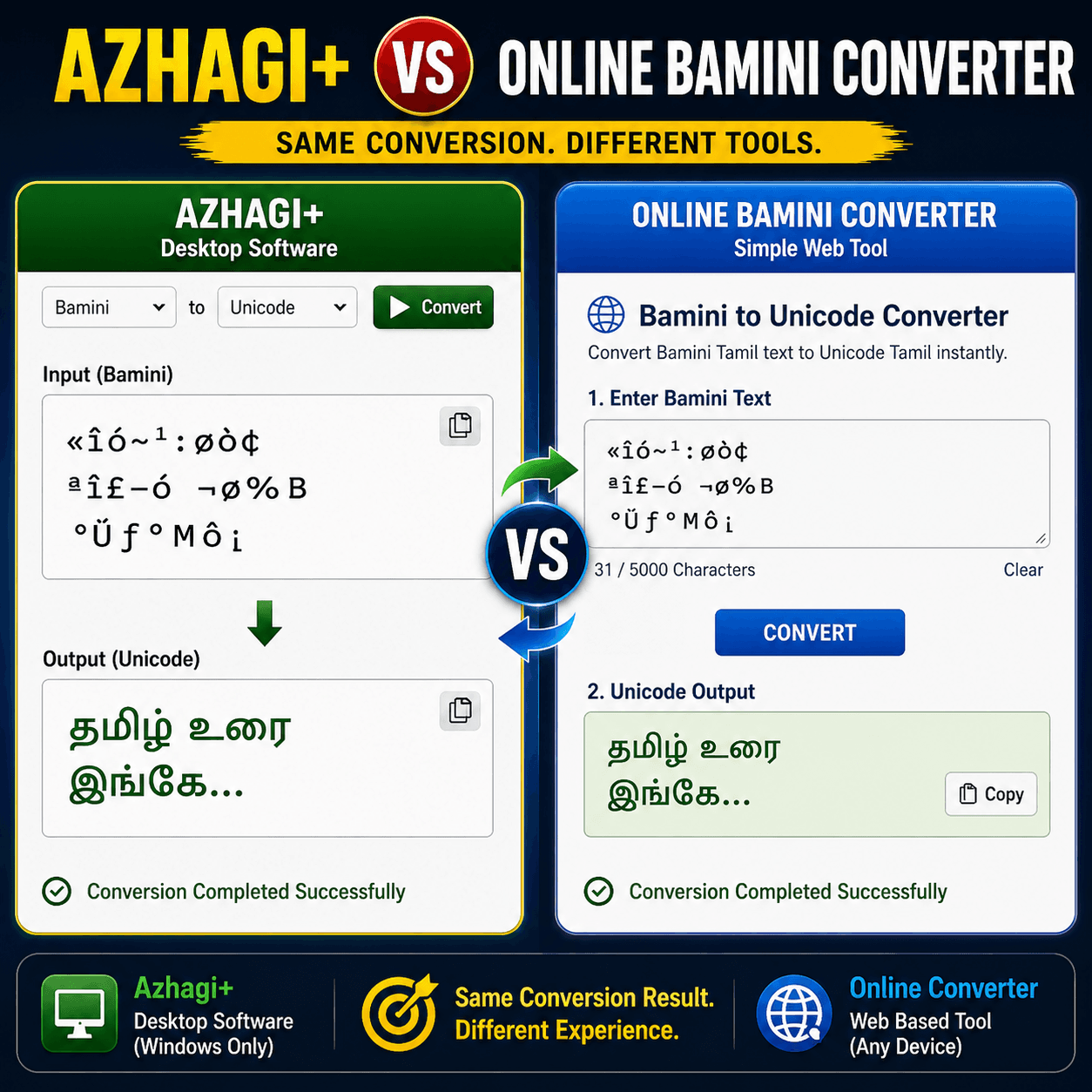
- Installation: Azhagi+ needs to be downloaded and installed on a Windows computer. An online converter needs nothing — it works straight from your browser.
- Works on any device: Azhagi+ only works on Windows computers. An online converter works on almost anything with a browser — a laptop, a Chromebook, even a phone.
- Formatting support: Azhagi+ can convert text right inside an MS Word file and keep your formatting untouched. Most online converters only handle plain text, so you may need to reapply bold, color, or layout after pasting.
- Speed for quick jobs: For converting one line or one paragraph, an online converter is usually faster — open the page, paste, done. Azhagi+ takes longer to open and set up for a quick, one-time job.
- Typing feature: Azhagi+ lets you type Tamil directly into any program using a hotkey. Online converters don't offer this — they only convert text you already have.
- Number of font types supported: Azhagi+ supports a much wider range of old Tamil fonts, close to 45 in total. Most online converters focus on the most common ones, usually Bamini and Unicode, sometimes TSCII or TAB as well.
- Learning time: Azhagi+ has more buttons, settings, and features, so it takes a little time to learn. An online converter is instantly usable — there's really nothing to learn.
Which One Should You Actually Use
If you're a DTP professional working with Word documents every day, converting between many old Tamil fonts, and typing large amounts of Tamil text regularly, Azhagi+ is worth installing. It saves real time once you're used to it, and the formatting-safe Word conversion alone is a big advantage for long documents.
If you just need to quickly convert a paragraph, check how a name looks in Bamini, or you're working on a phone, a shared computer, or a machine where you can't install software, an online Bamini converter is the better and faster choice. There's no setup, no learning curve, and no waiting. For a deeper understanding of this process, check our Unicode to Bamini Converter Guide.
Many DTP professionals actually end up using both — Azhagi+ for heavy daily work inside Word and design software, and a quick online converter for fast checks or when working away from their main computer.
Key Takeaways
- Azhagi+ is best for heavy DTP work, complex formatting, and Windows users.
- Online Converters are best for quick jobs, cross-device usage, and zero-setup requirements.
- Using both tools in tandem is a common workflow for professionals.
Conclusion
Azhagi+ and online Bamini converters aren't really competing for the same job — they're built for different situations. Azhagi+ is the stronger choice for daily, heavy DTP work inside Word and design software, especially when formatting matters. An online converter wins on speed, simplicity, and being usable on any device, anywhere. Know what your work actually needs, and the right tool becomes an easy choice.
Frequently Asked Questions
Ready to convert? Our main tool handles Unicode ↔ Shree Lipi with the same accuracy and speed — instantly in your browser.
Try Unicode ↔ Shree Lipi Converter